Reality is formed in a random space when the laser engraver is in your hands-you can either engrave or cut plastic with impressive precision, flexibility, and swiftness for multiple projects. Whether you are giving a futuristic look to your item, working on intricate designs, or just looking forward to creating something large-scale in the industry, each of the many options to engrave plastics would be rewarding to you if you are not sure about which model you should buy. This guide is aimed at making the process clear for you, hence arriving at a sound decision to have the exact materials, settings, and tools you would use at the same level as any professional. Therefore, go with us on this journey into plastic engraving with laser, tips, techniques, and best practices that would unleash the potential of your laser engraver.
01
Understanding Laser Engraving
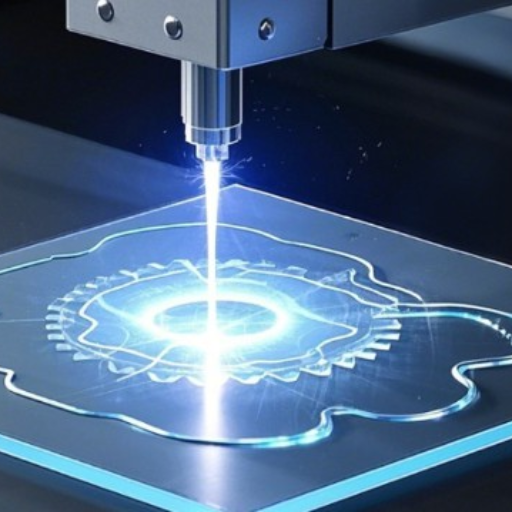
Laser cutting is subject to the process whereby laser beams are used to engrave surface areas on objects, thereby giving a design, text, or pattern. This process involves setting a high-power laser to hit the material, which allows the material to be warmed sufficiently until it suddenly changes from liquid to vapor; hence in the process, material gets etched. It is sheer precision, yet it is equally amazing to be employed in the kind of elaborate work possible on any kind of plastic material. Laser engraving needs the correct material to form the base; it is also necessary that the laser runs at the correct speed and power measures, while the alignment of the engraving page should be done.
What is Laser Engraving?
Laser engraving is a cutting-edge, highly strong technology that utilizes a focused beam of light to etch or vaporize the surface of the material and, in the long run, achieve the engraving of designs, text, or patterns. Perhaps the unique quality of laser engraving is the highly rapid speeds and extremely precise instrumental actions, which greatly benefit various industries. In broad terms, engravings include a variety of commercial activities promoting the personalization of various products; the acceptance of components to operate industrial machinery and apparatus; and enable additional fine arts, such as painting. The laser comes with a range of materials which can be used, such as wood, metal, plastics, glass, or leather, so the exercise can give you/superimpose the fingerprint of the fine art in order to attempt to track up an aura of wonder. Laser technology together with these successes advances the level of information quality and accuracy relative to what has been possible before the inclusion of complex structure creation technology and seating design integration. Besides its durability, laser engraving also adds refinement and professionalism to the appearance of the end product.
How Laser Engravers Work
The principle of laser engravers is practically identical in that the materials used must be literally affected by the laser to mark the material. The laser heats the material so intensely that the material is either vaporized or melted, consequently leaving a clear, permanent mark. Unlike the concentration on chemical or other methods of contact engraving, including inking, laser engraving is a non-contact operation in which the laser is aimed at the material without actually coming into contact with it, so that at all its implications, no tool wear is endured. Epitomizing another laurel for laser engraving is the consistency of its output.
The engraving foundation is laid with a design. This central ensemble remains digitally or computer-generated and converted into command terms controlling the motion of the laser and its intensity, speed, and focal-density settings. In this latter code, the desirable process of the laser upon the material must ensure that it limits the depth and detail. After such complex parameter control, the laser engraving system may display its capabilities on a broad range of media, mainly from sensitive plastics to very hard metals, meaning that the operations are incredibly flexible.
Laser etching also incorporates forms of class one lasers like CO2 or fiber lasers according to material and application. The first is useful for materials as wood, acrylic, or glass, and, on the other hand, the latter is useful for metals. But the essential quality of such machines is their rapidity and precision and the fact that they are fully capable of leaving behind a long-lasting quality ink representing the original object.
02
Applications of Laser Engraving on Plastic
Application Labeling
Laser engraving is commonly used for creating product identification tags, barcode instructions, and serial numbers on plastic products.
Customized Promotional Items
Laser engraving brands the plastic items with customized materials for businesses, thereby enhancing brand visibility and client interaction.
Electronic Components
Today, labels, underneath product checking, are needed, and manufacturers use laser etching to apply them onto the tough plastic casings of electronic devices.
Signs
Perfect for manufacturing durable, detailed plastic signs often used around industries like the retail trade, hospitality, and construction.
Medical Equipment
Laser-engraving is used to mark medical-grade plastic instruments, helping to ensure they conform to statutory identification requirements.
03
Types of Laser Engravers for Plastic
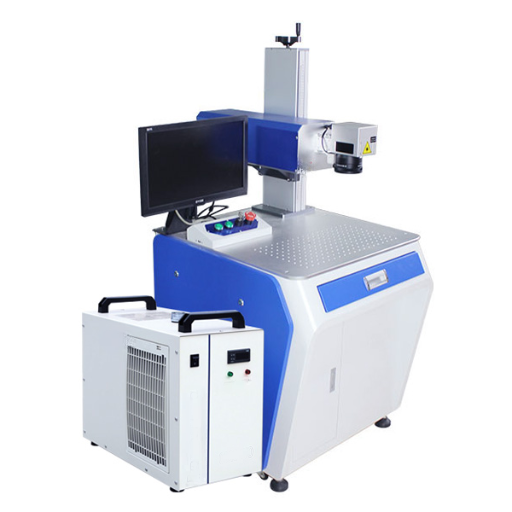
CO2 vs. Fiber Lasers
CO2 and Fiber laser engravers differ primarily in their wavelengths, material suitability, engraving speed, and cost-effectiveness.
| Parameter | CO2 Laser | Fiber Laser |
|---|---|---|
| Wavelength | 10.6 µm | 1.06 µm |
| Best For | Non-metals | Metals, Plastics |
| Speed | Moderate | Fast |
| Maintenance | Moderate | Low |
| Cost | Lower | Higher |
| Lifespan | 20,000 hrs | 100,000 hrs |
Diode Lasers in Plastic Engraving
When it comes to plastic engraving, diode lasers are the most efficient and cost-effective option. Generally, a diode laser has a wavelength of 445 nm to 980 nm, enough to engrave plastics with some pigment. While the laser used is generally a lower output compared to a C02 laser or a fiber laser, that does not rule out the ability to have finer, detailed works on softer plastics as per needs. Another most notable advantage these diode lasers provide is that they are compact, energy-efficient, and much more pocket-friendly. But they might struggle against harder or industrial-grade plastics. The engraving of the engraved product takes more time compared to fiber lasers. One needs to make sure that the type of plastic material compatible with the wavelength and power output of the diode laser are being used in order to get the best results.
Choosing the Right Laser Engraving Machine
When evaluating the selection of laser engraving equipment for plastics, the choice should be based on type of plastic that may be worked on, the level of precision required, size of work, etc. CO2 laser engravers are often the preferred engravers for plastic engraving due to their adaptability and capability to work on a wide range of materials, among them acrylics, polycarbonates or polyvinyl-chloride (PVC). For smaller tiny details or extra heat resistance, one may consider choosing a Fiber laser for marking plastics with additives; they can be used to meet most industry specifications.
Analytics of recent search trends and data show that machine power, engraving speed, and compatibility with various materials are key factors currently sought by many. Diode lasers are often chosen by hobbyists or small users due to their price efficiency and environmentally friendly nature, ultimately, making them suitable for softer plastics. On the contrary, for mass production, most of the professionals prefer CO2 or Fiber laser models due to higher engraving speeds and good handling of a broad spectrum of plastic materials.
The correct choice for a laser engraving machine is a balance between such considerations as budget, the properties of the material like plastics, and specify requirements for an engraving project. By putting in those variables, results from online reviews, and appraisal of user experience, you will go for buying a machine relevant to your needs.
04
Compatible Plastics for Laser Engraving
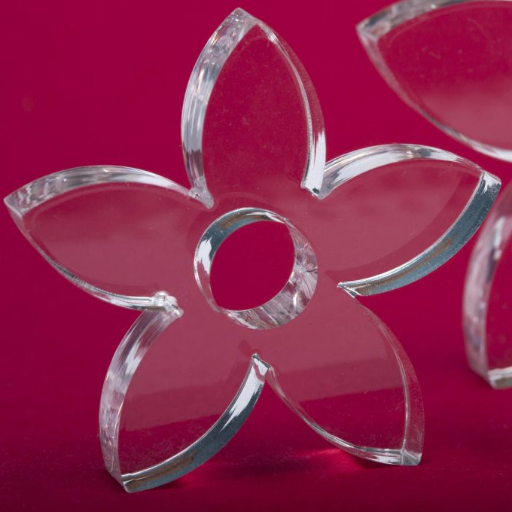
Types of Plastic Suitable for Laser Engraving
Laser engraving can be done on a wide variety of plastic types, so different usages grace each one of them. Common plastics that can be engraved include materials such as acrylic (PMMA), polycarbonate, polystyrene, polyethylene, polyhydroxyethylmethacrylate reinforced with carbon and polypropylene modified by NBR, alkylphenoles, and ABS. Acrylic is especially in demand on account of its excellent finish, featuring clear and shiny smoothness and good precision in engraving, for the purpose of signage and ornaments. These properties make polycarbonate quite the rage, and industrial and architectural applications come to mind.
Highly recommended for customized giveaways and packaging are thermoplastics such as polyethylene or polypropylene that can undergo repeated defoamings without losing their momentum and are hardly affected by abrasion wear. ABS, on the other hand, is the best performer for an industrial component or personalized collectible, offers durability and has a much smoother surface. The downside here is to stay away from naughty plastics as PVC types when carrying out the engraving process. Such types can tweak to pairs of pesky toxic fumes. One needs to analyze into its chemical structure as well as security requirements to do it safely for optimal outcomes and results.
Recommended Materials
- Acrylic (PMMA) — Signage & ornaments
- Polycarbonate — Industrial & architectural applications
- Polyethylene — Customized giveaways & packaging
- Polypropylene — Packaging & consumer goods
- ABS — Industrial components & collectibles
- Polystyrene — General purpose engraving
Incompatible Plastics: What to Avoid
When it comes to laser engraving, some plastics should not ever be engraved because of health and safety risks and potential machine damage. PVC (polyvinyl chloride, for instance, creates chlorine gas due to the heating incident of laser marking, which will cause health detriment of the operator and the machine itself. While polycarbonate is not good for engraving because it neither does that well nor has terrible discoloration with very faint marks. Similarly, not good for laser engraving is the HDPE (high-density polyethylene) because it burns instead of getting a clean mark, resulting in poor-quality marking.
Check out laser energy materials for safety reasons and their effect on the lifetime of the laser engraver. You can follow the temperature set recommendations of the manufacturer and also avoid plastics containing harmful additives or those that are likely to release toxic emissions when heated.
⚠ Materials to Avoid
- PVC (Polyvinyl Chloride) — releases toxic chlorine gas
- HDPE (High-Density Polyethylene) — burns rather than engraves
- Plastics with unknown or harmful additives
- Any material that releases toxic fumes when heated
Safety Considerations When Engraving Plastic
One very important concern when working with plastic engraving materials is safety for self, others, and equipment. Most of the plastic materials produce poisonous fumes when heated, which can be of deadly significance. Among the most volatile offenders is poly(vinyl chloride), which releases chlorine when dissecting material, a substance that is poisonous to humans and corrosive to the internal parts of the laser. It is a cardinal rule, therefore, that any operation be carried out in well-ventilated surroundings with a fume extraction system to discharge the toxic gases generated in the process. Another law involves consistent wear of personal protective equipment, or PPE, like goggles and masks whenever you use any material for engraving that is of a new or unknown nature.
Laser-friendly polymers such as acrylic are very safe to use and give a good result by reducing risk. However, the laser machine’s manual and the material safety data sheets should be reviewed to identify those plastics safe to engrave. The practice of staying constantly educated with industry updates together with each precaution taken can only help in building a very safe engraving task and in securing the use of equipment for a longer time span.
05
Key Features of a Laser Engraver for Plastic
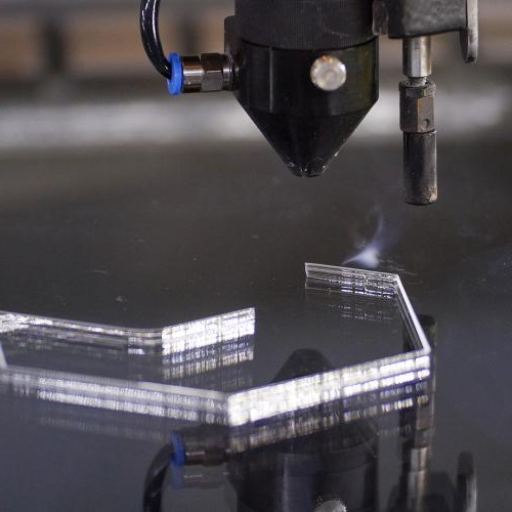
Power and Wavelength: Finding the Right Fit
While selecting the appropriate power and wavelength for a laser engraver that is used for plastics, both the laser and the material are of importance. It is advisable to use low to medium energy levels such as those of 20-100 watts for powder engraving. An energy limit like this will give the laser sufficient power to cut or write on the plastics but without generating so much heat or melting so hard that cause loss of material and rough marks.
The length of the wave produced by the laser is also an important bit. From a concrete standpoint, CO2 laser, or a 10.6-micrometer wavelength, wins largely in view of the fact that this wavelength of light is pretty well absorbed by plastic and hence causes very smooth operation in either engraving or cutting. Fiber lasers, with a short wavelength of less than 1.06 micrometers, don’t perform as well on plastic. They possess poor absorption characteristics and may be useful for laser engraving of certain dyes or pigments on unetched plastic.
Using proper laser power and wavelength is crucial so that they match the type of plastic and its thickness which one wants to engrave. Thicker plastics might need more power than normal for a good cut, while thinner materials—or perhaps more delicate processes—might do better with lesser power settings so as to remain precise. If even the smallest power adjustments are made correctly, one can find a perfect balance between efficacy and material security, effectively using the owner’s laser engraver.
Work Area and Size Considerations
The most prominent condition to consider while buying a laser engraver for plastics is the dimension of the work area. The work area defines the maximum dimension of the material, which can be engraved in a single shot. For smaller or delicate works, miniature laser engravers with a smaller work area may be considered. However, if you are planning to process larger sheets of plastic or do some batch processing for that material, an increased area is paramount to material support.
The overall size of the machine itself may also have to be seen to match workspace constraints. Small machines like portable desk models are great for little spaces, while larger industrial models do need some dedicated area. Think about adjusting the height of the laser head; this will allow you to engrave thicker yet more varied plastic parts with fewer hindrances.
In any project situation, the ability to adapt to the working place helps to maximize the efficiency and assure greater range of work scope regarding whatever plastic processing and tooling is required.
Additional Features to Look For
In another argument made in support of the laser for plastic engraving, a good number of added features can only ensure a delightful and as well as effective project output. An in-built engraver with a good cooling system should run during long sessions without giving heat, and, being an industrial machine, it lends itself to being a simple one to use and that is at a minimum of maintenance.
And another feature is that the engraver is compatible with multiple software brands. A good number of engravers come with software which allows working in programs like LightBurn, CorelDRAW, and AutoCAD, supporting a helpful integration and refined design control. A high-speed engraver is great for working with heavy-duty part-production laser engravers as well: Shortening engraving time corresponds to being more productive and still producing good quality of engraving.
Nonetheless, safety is just as imperative so that both you and your working environment may remain protected. This mainly involves working with plastics, volatile materials, producing harmful fumes. Look out for an adequate ventilation system and an emergency stop feature in enclosed machinery. Also to be taken into consideration is the existence of power settings, which would allow you to change laser power, ensuring versatility in application and maximum accuracy for the task at any given time.
Consider investing in machines featuring smart electronics that can be auxiliary in today’s market. An addition could be something a little less innovative, such as being capable of being controlled by an app with Wi-Fi connectivity, touchscreen interface, and living app itself. Additionally, greater resistance and versatility would thereby provide that your laser engraver should also be equipped with new and more lucrative functionalities for any plastic engraving needs in the near future.
Feature Checklist
- Built-in cooling system for extended sessions
- Software compatibility (LightBurn, CorelDRAW, AutoCAD)
- High-speed engraving for batch production
- Adequate ventilation system & fume extraction
- Emergency stop functionality
- Adjustable power settings
- Wi-Fi connectivity & touchscreen interface
- Adjustable laser head height for varied material thickness
06
Getting Started with Your Laser Engraver for Plastic
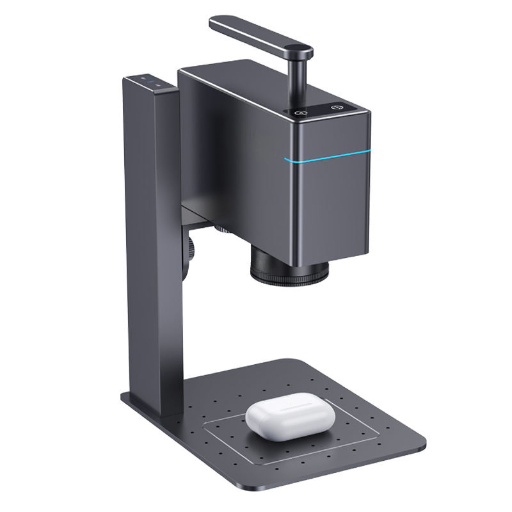
Setting Up Your Laser Engraving Machine
Unpacking and Placement
Unpack the laser engraver and position it over an even, firm surface in an area well-stocked with ventilation. Of course, clear the requisite space around the system to permit safe work and maintenance.
Connecting to Power and Computer
Plug the apparatus into an energy source and then link it to your computer as indicated by the user’s guide: USB or get on WiFi. This point of possession demands the other drivers or programs set up by the manufacturer.
Focus for Engraving
Adjust the focus of the laser away from the lens relying on the plastic you will engrave in terms of thickness and type. Mostly the machine is also provided with a focus tool to assist you in adhering to the right distance between the laser and the item to be transformed.
Safety
Wear goggles meant for the wavelength of the laser operated in the engraver and be sure your ventilation system and the exhaust fan are set properly to dissipate any fume that gets generated during an engraving process.
Test Mode
Endorse a small test engraving on a plastic sample to fine-tune your settings for power, speed, and resolution. Make adjustments till you reach the desired effects.
Completing the steps effectively will grant a safe and efficient setting for maximum laser plastic engraving results.
Basic Techniques for Engraving Plastic
- STEP 01
Set Laser Power and Speed
To adjust the power and speed of a laser engraver, taking consideration of the material being worked on along with its actual thickness is always advisable; it is always good practice to start off with minimal power settings to avoid warping or melting of the material itself. - STEP 02
Ensure that the laser is focused
Adjust the focus of your laser by switching optical path lengths according to the manufacturer’s recommendations. This method would result in sharply defined and consistent engravings. - STEP 03
Use Masking Tape
Always use masking tape on the workpiece while engraving. Masking will protect the plastic to some extent from burning and discoloration. After engraving, make haste to remove the tape from the surface to avoid dust collection. - STEP 04
Laser Engrave in Passes
Use several passes at low power settings when engraving for depth, to generate finely detailed images or artworks with the minimum amount of heat inflicted on the material. - STEP 05
Clean the Surface
Once the small items have been engraved, gently cleanse the surface of the plastic so that no trace of dust or oils are left. Use a soft cloth with very gentle cleaners that are safe for the plastic.
Maintaining Your Laser Engraver
Proper maintenance of your machine is also of great importance if the engraver has to enjoy the benefit of an extended life and accurate high-quality performance over time.
Maintenance Task 01
Cleaning of Optics
Use specialized lens cleaners and lint-free cloths for cleaning the optical head of your laser machine. If left uncleaned, these optics will surely cause a decrease in the strength and accuracy of your laser machine; hence, always take care of their cleanliness seriously and do a regular inspection for dust and debris on them.
Maintenance Task 02
Check and Realign the Laser Beam
The alignment of the laser beams must be fostered through frequent inspection and calibration checks to sustain engraving quality and to minimize material wastage due to misalignment.
Maintenance Task 03
Lubricate the Movements
In order to prevent the onset of wear and to keep operational systems of the machine smooth, apply the appropriate lubricants on the mechanical parts as instructed in the manufacturer’s manual.
Maintenance Task 04
Monitor the Cooling System
If a water-cooling system is established, once you have verified that the water level is at satisfactory levels, consider replacing the cooling water from time to time so as to prevent overheating. Air-cooled, on the other hand, must have their blocked vents and flues cleared to facilitate an unobstructed airflow.
Maintenance Task 05
Cable and Connection Inspections
Systematically examine every electrical cable and connection for any visible signs of wear and tear. Replace any parts that are getting old to prevent operation failure or security hazards.
By following these instructions along with additional maintenance recommendations that may tailor-fit the laser engraver and recommended by the user’s manual, you would have a mechanism that would give you the best outcome.
07
Frequently Asked Questions (FAQs)
Are laser cutters able to cut and engrave acrylic sheets and other plastics?
Yes, they can cut and engrave acrylic sheets and all other plastics. Clean acrylic cutting and accurate engraving have given the ability for a lot of laser cutters in any category of plastics such as ABS and PET. For the same purpose, CO2 lasers are favored, given the optical clarity that puts a strong emphasis on the appeal of clear cutting and glass-like edges in acrylics. The IR range engulfs only metals and certain plastics; IR lasers (1064 nm) and fiber laser can be an option for plastic marking and marking technology. Always endeavor to test with scraps of the plastic material and bear in mind that the plastic tends to start off-gassing or off-specing alkali gases. Giving air assist ahead is good to enhance cutting quality and to minimize the charring.
How different is the laser cutting and engraving of a canyon in plastics at the laser spot and marking?
While in laser marking, the surface appearance changes but not as deep cutting, laser marking or laser etching involve using these laser spots to create high-contrast, high-value marks on the workpiece, hence, usually leaving the plastic substrate quite intact, as opposed to the deep engraving, or cutting through the entire material. The choice to make between these two depends on the deepness of the marking wanted and the requirement for very fine engraving: CNC engraving setups and rotary fixtures can give accuracies on curved parts; a higher laser output, e.g., 20 w, will enable quicker cuts to be done, bringing speed to the utmost, and further all necessary ventilating and safety measures such as goggles in place.
Is there any particular need for a rotary attachment with these laser machines for engraving bottles or other such things on cylindrical plastic?
Most definitely! A rotary attachment is useful for cutting details on rotary objects like bottles, tubes and cylindrically shaped objects. This attachment makes even section depth engraving possible, even across a contour surface with a wider canvas for all customization individuals working on the plastic projects through laser. The laser machine range that is appreciated in all desktop and CNC engraving systems is equipped with an effective rotary attachment.
What are those safety gears and precautionary measures that have to be adopted to be in a safe condition while working with the laser machine for cutting plastics?
It is of key concern that proper eyewear, corresponding to the wavelength of laser (IR goggles for infrared lasers), is used, as well as employing either an enclosure or a shielded design to facilitate fume removal, installation of air assist for smoke clearing or cut improvement, and a good ventilation system or fume extraction unit to draw off the toxic gases emitted by plastics. Safety will keep a small business owner from being found liable and will serve as a good baseline for keeping operations safe and compliance up to code.
When should you choose between 2W and 20W for laser power?
Material thickness has a huge bearing on what to look for. Thin plastics for surface marking and light engraving require a 2 watts or low-power portable laser, like several LaserPecker models. They will cut faster, engrave deeper for plastic, heavy version fabrication, and hence the need for 20W or higher of power. Choosing should depend on both the thickness of the cutout, precision engraving, and remember to ensure that the chosen wavelength stands compatible with the required material. The CO2 laser is proposed to be the most suitable laser for acrylic sheet and clean-cut plastic engraving.
Can a metal laser engraver work on plastics after all, and then can I do both in the same machine?
A very handful of hybrid laser machines can machine and treat both metals and plastics by changing the laser type and source wavelength according to the particular material being processed. Fiber/1064nm lasers exhibit adequate profiles for most metals and some engineering plastics, while CO₂ lasers are better suited to acrylic and more common thermoplastics. To process both materials on one piece of equipment, an adjustable setup would be required, appropriate elimination aids set-amidst the plastic material’s gaseous decompositions (for they happen to release corrosive fumes!), perhaps interchangeable laser sources or heads.
Reference Sources
-
Laser-Generated Airborne Contaminants from a Desktop Laser Cutter and Engraver
-
Laser Marking and Engraving of Household and Industrial Plastic Products
-
Respirable Particles and Gas Contaminants Emissions from a Desktop Laser Cutter and Engraver
- Top CNC Laser Marking Machine Manufacturer and Supplier in China