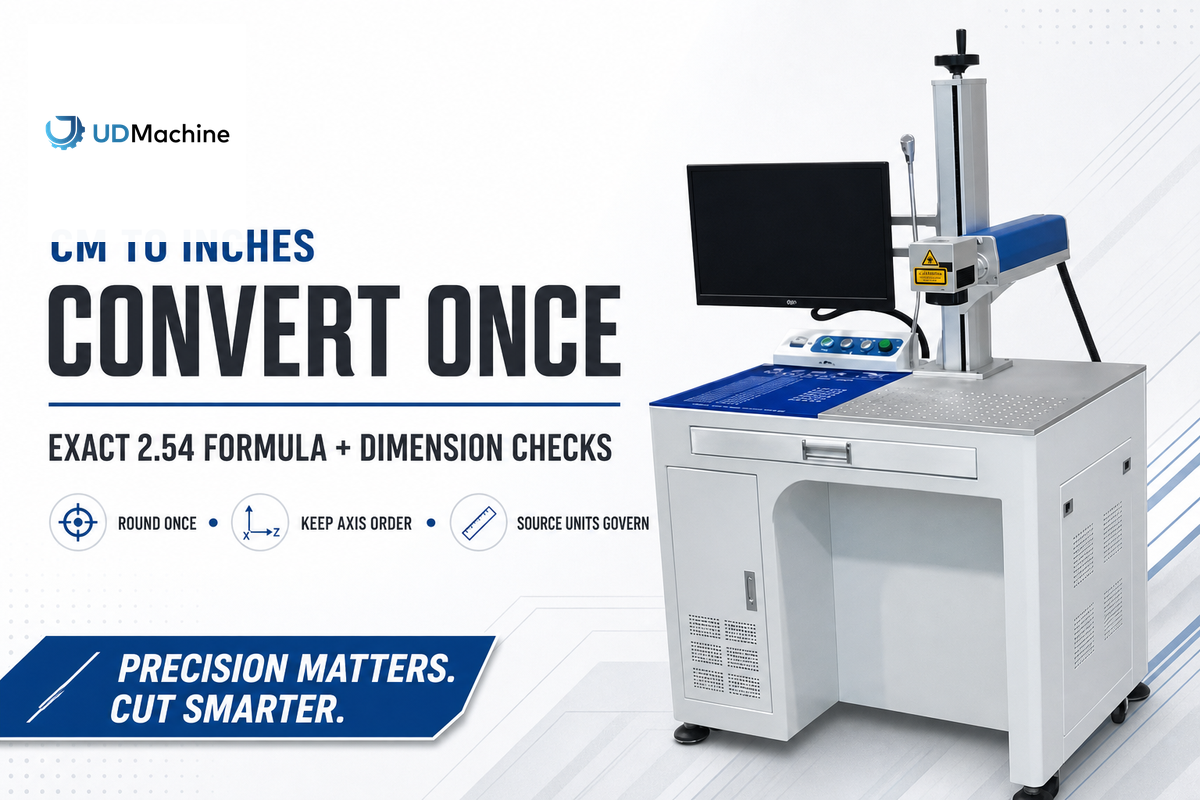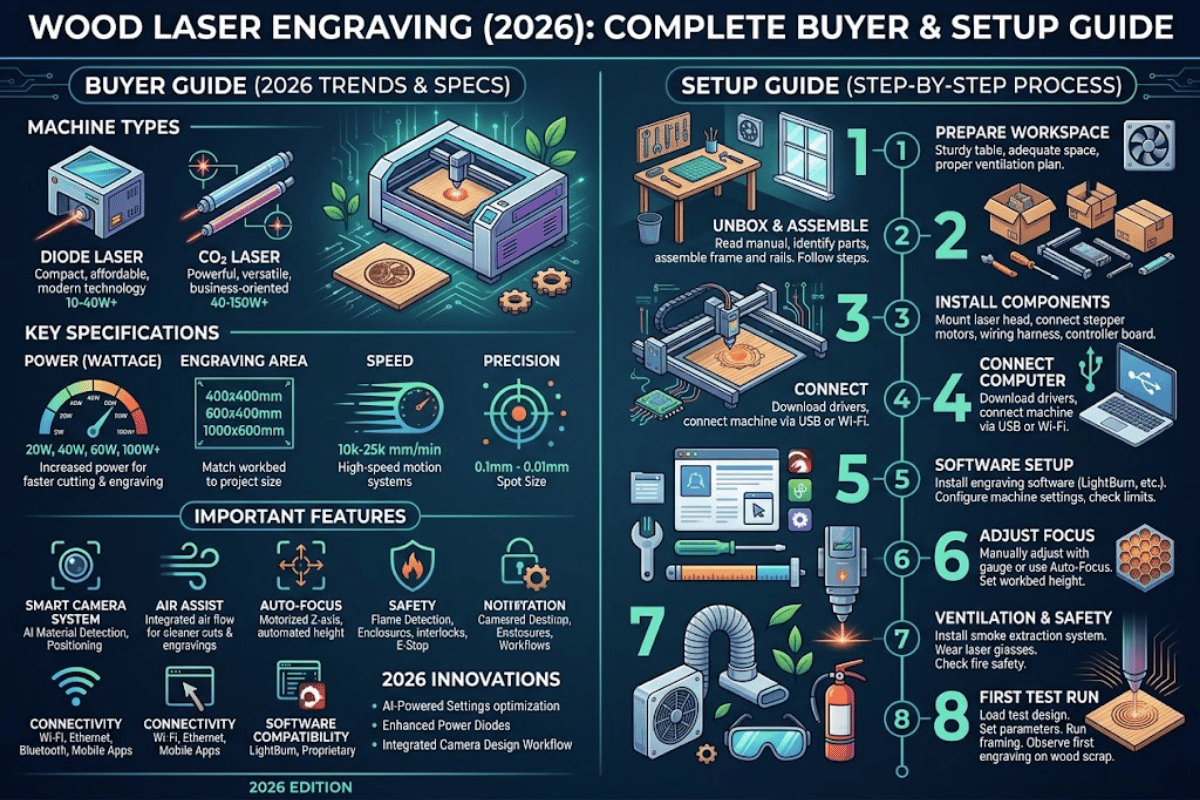
Wood laser engraving fabricates signage, awards, and specialty gifts from your flat stock in minutes – the difference between a clean dark repeatable finish and a scorched fuzzy mess boils down to a handful of choices: machine class, wood species, power and speed, and control over depth. We’ve tracked each step in the pathway in this 2026 guide, with published price steps and wood choices, and forum-grounded building tips that commercial buying guides lack.
Quick Specs — Wood Laser Engraving at a Glance
| Common laser types | CO2 (10.6 μm), Diode (450 nm), Fiber (1064 nm) |
| Minimum power for wood engraving | 10 W diode (sufficient for surface marking) |
| Cut thickness — 40 W enclosed diode | Up to 6 mm (1/4 in.) single pass; 15 mm with multi-pass |
| Cut thickness — 55 W CO2 | Up to 18 mm single pass |
| Engraving speed (typical) | 300–600 mm/s (machine-dependent) |
| Safety class to look for | Class 1 enclosed (per ANSI Z136.1 / IEC 60825-1) |
| Pricing range (entry → industrial) | USD $200 → $25,000+ (Q1 2026) |
How Wood Laser Engraving Actually Works
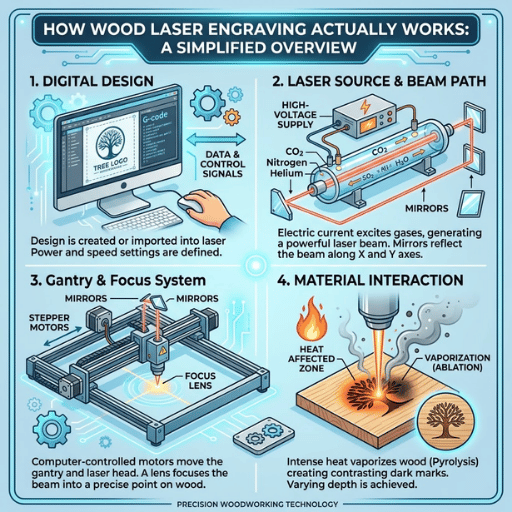
A wood laser engraver subtracts the upper coat of wood by aiming a tight beam of light at the surface. The wood consumes the photon energy heats past the pyrolysis threshold (some where around 250-300C for most species), charing in-situ or vaporizing – depending on power, dwell time, and the wood’s resin load.
Three laser types dominate the market, with respect to how they interact with wood because of its wavelength:
- CO2 lasers (10.6 μm, far infrared): wood generally absorbs this wavelength very well, and gives clean cuts and consistent engraving, with relatively low electrical draw.
- Diode lasers (450 nm, blue): Wood absorbs the blue end of the spectrum well; modern enclosed 40W diodes are now comparable on most wood tasks to the tired traditional 55-60W CO2.
- Fiber lasers (1064 nm, near infrared): Excellent for metals — but the wavelength is unevenly absorbed by wood, producing inconsistent burns. Not recommended for wood.
The size of the converged beam determines detail resolution. In general, diode lasers focus down to between 0.06-0.08mm; CO2 to 0.10-0.18mm. Everything else being equal, smaller spots mean finer engravings. This is why diode lasers delayed their reputation as novelty gadgets to beaters for detail work: it’s a market that CO2 products used to dominate – until relatively small, inexpensive diode machines became available. For terminology background, see the difference between laser marking and engraving.
Choosing Your Wood Laser Engraver — A Buyer’s Guide
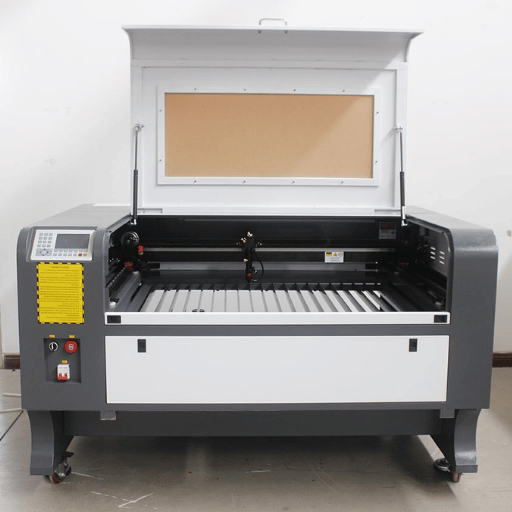
There are more questions over the buy today for wood laser engraver because the cost/benefit has played out: today’s $700 enclosed diode will out-perform a five-year old $5,000 CO2 twice-over. The key factors for choosing well depend on three elements – how scaled you are in use, about how big you need your projects to be, and how otherwise restricted you are on safety -rather than raw wattages.
| Tier | Use case | Class & wattage | Price range (Q1 2026, USD) |
|---|---|---|---|
| Entry / Hobby | Cards, leather, small gifts | 5–10 W diode (open-frame or enclosed) | $200–$500 |
| Prosumer / SMB | Signage, awards, batch personalization | 20–40 W diode or 40–60 W CO2 | $800–$3,000 |
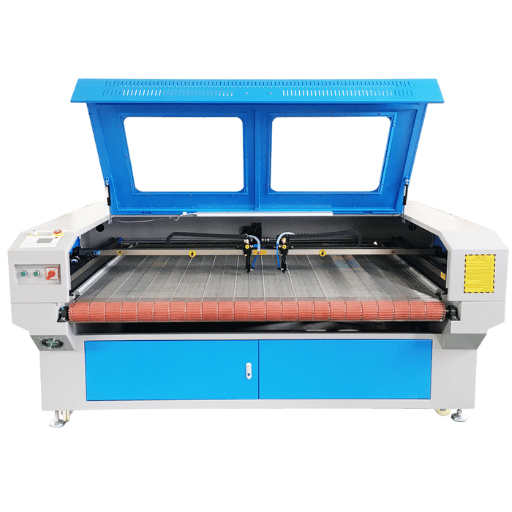
| Production | High-volume, thicker stock, daily use | 80–150 W CO2 (fully enclosed) | $5,000–$25,000 |
| Industrial / Marking | Batch product marking on cylindrical parts | 40 W+ enclosed diode + rotary attachment | $3,000–$10,000 |
Pricing is based off of softcopy street values Q1 2026 from well known retail and B2B sources. Industrial CO2 systems have as big a variation as size of bed and software.
How Much Does a Laser Engraver for Wood Cost?
I will be honest with you, this is one of the few times where the floor has dropped and the ceiling has survived well: there’s a genuinely decent beginner machine now for sale for $200-$500 – something enclosed, Class 1-safe, 5-10W diode with useable software. Prices on enclosed 20-40W diodes suitable for most signage and personalization runs from $800-$2,000: the $5,000-$25,000 for five-year old home working machines – and industrial 80-150W C02 production machines – still protects industry players. Industry analysts put the wood laser engraving machines market at USD 4.14 billion in 2026, projected to reach 7.00 billion by 2033 — a CAGR of 7.8%: that growth is chiefly in the prosumer category, which is why pricing in the $500-$3,000 range is the most competitive here.
What Wattage Do I Need to Engrave Wood?
For only marking on most softwoods and thin (up to 3mm) hardwood, a 10W diode works; works, that is, if you’re willing to wait a while. For shallow cuts on basswood or balsa<3mm, 10 W works—slowly. For steady cutting in 6mm (1/4in.) plywood—the most popular project stock—a 40W enclosed diode takes a single pass without any fuss, while a 55W CO2 makes it to 18mm in a single pass.
Any deeper, you’re in 80-150W CO2 territory. Compare wattage tiers in detail in our guide on how to choose laser wattage for marking, engraving, and cutting, and get a good sense of how 20W and 30W laser marking machines differ for the marking versus engraving conundrum.
📐 Engineering Note — Class 1 Safety
Verify presence of a “Class 1 laser product” label according to ANSI Z136.1 (US) or IEC 60825-1 (international). According to University of Wisconsin EHS guidance, a Class 1 laser cutter is one whose enclosure prevents human exposure to the beam during normal operation. Open-frame diode engravers (often Class 4 inside the beam path) require dedicated eyewear and an interlocked work area — markedly increasing operating cost and complexity. The OSHA laser hazards standards index and MIT EHS laser cutter guidance both treat enclosed Class 1 as the practical default for non-research applications.
CO2 vs Diode vs Fiber Laser for Wood
The ‘which laser type is best for wood’ question is no longer a dogma. Until around 2022 CO2 was the best answer for any serious wood work. The new 40W enclosed diode generation seen in 2023-2024 made this at least true below 18mm thickness.
Here’s how the three types stack up on wood today:
| Attribute | CO2 | Diode | Fiber |
|---|---|---|---|
| Wavelength | 10.6 μm | 450 nm (blue) | 1064 nm |
| Max wood cut (single pass) | 18 mm at 55 W; 25 mm+ at 100 W | 6 mm at 40 W; 15 mm multi-pass | Not recommended |
| Engraving detail | Good — 0.10–0.18 mm spot | Excellent — 0.06–0.08 mm spot | Inconsistent on wood |
| Tube/source life (typical) | 2,000–10,000 hrs (glass tube) | 10,000+ hrs (solid-state) | 100,000+ hrs |
| Entry price (Q1 2026, USD) | $1,500–$5,000 (40–60 W) | $200–$1,500 (5–40 W) | $3,000–$8,000 |
| Best fit for wood | Production, thick stock | Hobby, SMB, fine detail | Avoid for wood |
The persistent myth that “diode lasers can’t really cut wood” traces back to early 5-10W open-frame machines. Reddit’s r/lasercutting forums show practitioners routinely cutting 6mm hardwood with 40W diodes in single pass and 15mm in multi-pass — with cleaner edges than equivalent low-end CO2 systems because of the smaller spot size. The CO2 advantage now lives mostly above 18mm and in industrial throughput.
To get more context on the technologies involved, see types of laser light and their applications and fiber laser vs CO2 laser.
Wood Burning (Pyrography) vs Laser Engraving — When Each Wins
Pyrography employs a heated metal tip pressed directly against wood. It is much slower, always in the hand, and retains a hand-drawn look that consumers will pay a distinguished sum of premium dollars for in artisanal outlets. laser engraving is anywhere between 50 and 200 times faster, can be routinely, identically repeated between production runs, and can handle detail 10-fold finer.
The tactful compromise: pyrography dominants on authentic artistic provenance and unique works, laser engraving is victorious on any volume and all logo work and any project with photo-realistic detail.
Best Woods for Laser Engraving — Plywood, MDF, and Hardwoods (incl. Maple)
Buyers guides all list “good” woods — but that’s only half the answer. The same listed species can give crisp carving on one piece and mild char on the next, because three factors are more important than the label on the box.
💡 The Wood-Laser Match Triangle: Density × Resin × Thickness
Most buying guides give you a list of “good” woods — but the same listed species can give crisp engraving on one piece and a smoky mess on the next. Three variables predict outcomes more reliably than the species name on the box:
- Minimum density(g/cm). The lighter density engraves (0.30-0.50) are desirable for cleanly cutting engraves at low power levels (range 10-30); densist engraves (0.65-0.90) require higher power per pass, pre-burning relatively darker burn marks.
- Resin content. Low-resin woods (abitwood, alder) will cartoon evenly at either high or low resin levels; high-resin woods (pine, cedar, fresh oak) will cartoon relatively more unevenly at either high or low levels and tend to gum up the lenses.
- Thickness. Stay within manufacturer-stated single-pass cut thickness for artwork, multi-pass cuts, but never for surface engraving (systematic depth levels will be inconsistent).
Best Hardwoods (Maple, Cherry, Walnut, Oak, Alder)
Hardwoods with consistent grain (maple, cherry, walnut, alder) carve the cleanest artwork. Maples (density ~0.65g/cm) and alder (~0.49g/cm) are most generally preferred for fine detail because of their evenly spaced and high contrast grain; Walnut engraves cut beautifully but their higher density and tannin levels cause heavier burn marks, while cherry sits midway. Oak’s contoured grain distribution makes fine lines inconsistent and a poor choice for beginner wood.
Plywood — Birch, Pine, Bamboo
Plywood is versatile enough to be the primary signage material of choice because its cross-laminated construction reduces warping and engenders clean cuts. Baltic birch plywood is a favorite among practitioners – consistent thickness, low cross-layer voids, accurate laser response. Pine plywood costs less but the large resin pockets lead to unpredictable burn shading. Bamboo plywood engraves burn darker and are used for upscale kitchenware because of their heavier density; however, their higher density also requires higher power to carve and results in darker burn marks. Our dedicated laser cutting plywood guide provides a deeper dive on working with plywood.
MDF — Consistent Engraving, Sticky Fumes
MDF (medium-density fiberboard) is the most predictable laser-response material because of its absence of grain – the engraving is uniform across the surface. Unfortunately, its urea-formaldehyde glue creates sticky resin fumes that condense onto fume extractor filters, clogging them up prematurely. Practitioners even running MDF batches add sacrificial pre-filters. For our deep-dive specifically on MDF see the sub-piece on laser cutting MDF.
Woods to Avoid (or Approach with Care)
- Chem-treated lumber. Releases arsenic-bearing fumes when burnt. Do not laser with this material.
- Pine and cedar (especially fresh): Resin build-up on these substances will lead to uneven burns and lens contamination.
- Vinyl-laminated “wood” and PVC-laminated panels: releases hydrogen chloride gas (a corrosive agent for the metal components of the machine, and a carcinogen).
- Oily exotic hardwoods (teak, rosewood): Burn unevenly; may cause respiratory irritation in some species.
For broader material compatibility beyond wood files, see all materials suitable for laser cutting.
What Type of Wood Is Good for Laser Engraving?
The unqualified short list: basswood, baltic birch plywood, alder and maple are the four most reliably cut materials across hobbyist and professional use. They all share the following three characteristics: moderate density (0.40-0.65g/cm), low resin content, evenly spaced grain. A 2024 systematic literature review on laser engraving factors in hardwood suggested that evenness of grain and density was a much better predictor of carving accuracy than species designation alone. When new to engraving, purchase laser-grade basswood or baltic birch plywood from a craft-focused retailer – the dimensional standardization will save you more set-up time than 30-50% price difference.
Settings That Actually Work — Power, Speed, Software
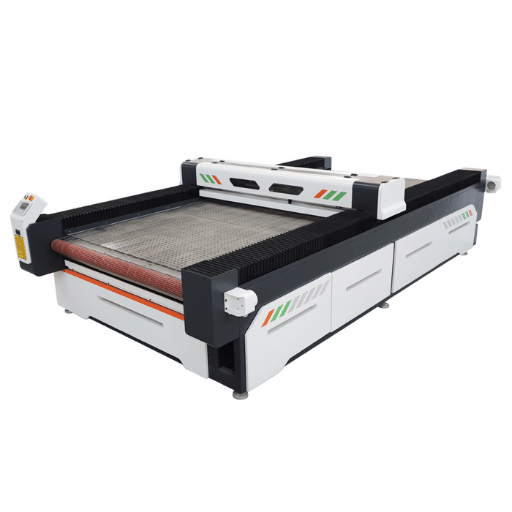
No one “correct” setting for wood engraving, as power, speed and focus interact with each machine, lens and wood batch. What follows is a starter table based on documentation from makers and reports from practitioners—you will need to calibrate to your machine prior to execution of production jobs.
| Machine class | Surface engrave (basswood) | Surface engrave (maple) | Cut 3 mm plywood |
|---|---|---|---|
| 10 W diode | 100% / 200 mm/s / 1 pass | 100% / 100 mm/s / 1 pass | 100% / 80 mm/s / 3 passes |
| 20 W diode | 60% / 300 mm/s / 1 pass | 75% / 200 mm/s / 1 pass | 100% / 200 mm/s / 2 passes |
| 40 W diode | 35% / 400 mm/s / 1 pass | 50% / 350 mm/s / 1 pass | 100% / 350 mm/s / 1 pass |
| 55–60 W CO2 | 20% / 500 mm/s / 1 pass | 30% / 400 mm/s / 1 pass | 80% / 30 mm/s / 1 pass |
Settings are starting points – each machine, lens age, wood batch is shifting the optimum. Always run a small test grid before production runs.
Two software options dominate wood engraving: paid-for LightBurn (costs around $60-$120 for a license, supports almost every machine) and laserGRBL (free, open source, only for GRBL-controller machines). LightBurn is the ideal practical standard for SMB/prosumer use; its image dithering algorithms give noticeably superior photo engravings on wood. LaserGRBL will work for vector work and simple raster tasks on entry-level diode machines.
Most enclosed prosumer machines are sold with their own design software; the choice to remain with the original manufacturer’s app and product or to switch to LightBurn generally comes down to whether you are looking for more advanced image-to-engraving features.
📐 Engineering Note — Air Assist Is Not Optional
Air Assist. The application of a stream of compressed air to the cut zone that blows smoke and ejecta away from the lens and work piece. An absence of air assist causes smoke to condense on the wood surface (yellow staining), fogging the lens (missed focus), and impurities to accrue as burn marks.
For surface engraving on light woods the addition of a mere 3-5psi at the end of the nozzle can significantly increase contrast. For cutting your typical range is 20-30psi. If your machine ships with no air assist a cheap aquarium pump and a small diameter pneumatic line is a $30 dollar investment.
Depth Control and Darkening Techniques
Two queries haunt the wood communities in the support forums. How do I ‘darken” the engraving?
How do I prevent dark “scorch marks” appearing on the page?
Establishing a lower speed combined with greater power works with a caveat. If one advances too far, practitioners on Reddit and dedicated woodworking communities a find a set of techniques unmentioned in the major commercial manuals. Here are the approaches that dominate practitioner testimony.
Five Methods to Darken Wood Engravings
- Borax or baking soda solution. Mix borax with water (roughly 1:10), spray or wipe onto the wood, let dry completely, then engrave. The alkaline residue reacts with the heated wood to produce a noticeably darker carbonized mark. Practitioners on r/lasercutting consistently report dramatic contrast improvements on light-colored hardwoods.
- Defocus the laser. Hang the workpiece (or drop the head) 1.5-3 mm, a 2 inch lens. Damaged is the wrong word; the defocused beam burns through the material rather than combusting it and so leaves a darker character of a little less snap.It can be a desirable effect.
- Protective tape on G. covering. If still not dark enough, cover the whole surface with transfer tape (the sort that is used for cutting sticker shapes when designing with vinyl) then engrave the design. The adhesive combines with the laser to make a darker contrast mark, and the tape stops the smoke from settling on the rest of the wood.Remove after engraving.
- Burn off top layer (plywood particular). On baltic birch plywood, run a intentional first pass at very low power to burn off the top veneer – a second pass in to the exposed glue layer carbonizes with jet black indication. Forum reports it as the highest contrast technique for plywood, though exact depth control is necessary.
- Paint fill(high-contrast technique). Clear-coat the wood, mask, engrave deeply(multiple passes if necessary), lightly spray paint into the recess, then peel the mask. The paint fills in the engraved void with near-perfect contrast-high-density awards and signage.
How Do I Avoid Burn Marks When Laser Engraving Wood?
Burn marks and char rings around the engraved area result from three causes: smoke condensing onto the surrounding wood, heat of the laser radiating and cooking the surface, and the laser dwelling on one spot too long. Five mitigations work in combination: ( 1) air assist at sufficient pressure to blow away smoke immediately, ( 2) honeycomb cutting bed underlay to remove heat radiating from below, ( 3) masking tape over the area to be engraved to absorb smoke and leave with the residue, ( 4) higher speed at lower power if the wood will tolerate it, and ( 5) wet wiping the surface before engraving to cool it. These do not solve the problem on dense woods alone – most people use three or four in combination for cherry, walnut, and resin-rich stock.
📐 Engineering Note — Depth Control
For consistent controlled depth on fine engraving, vary passes at the same power and speed rather than varying power. Each pass adds a similar amount of depth (roughly 0.05-0.15mm using 40W diode on hardwood, on average) making results consistent and safe. Varying power changes depth and character together and harder to hone in on.
Wood Prep and Post-Processing — Sand, Stain, Seal
The work that happens before and after the laser fires often matters more than the engraving itself. Three questions dominate: should the wood be sanded first, when does staining go in the workflow, and how to seal the result for outdoor or hard-use applications.
Should I Sand Wood Before Laser Engraving?
Sand the wood before engraving if the surface is not flat or rough or if your stock has a mill-finish that results in uneven depths. Use 220-grit for final pass-coarser grit gives micro-grooves visible as banding in fine work. Wipe with a tack cloth or damp cotton before setting on cutting bed-the loose dust may be attracted by the heat from the laser to the engraving site and cause small charred areas which become blemishes in the finished work. Sand after engraving rarely makes sense-the engraved area is recessed and any sanding will flatten it or remove the detail.
Stain Before or After Engraving?
Stain first, engrave second. A stained dark surface results in maximum contrast with the light fresh wood exposed by the laser. Two cautions for this sequence: the stain must be fully cured( 24-48 hours at least!) before engraving-can’t have wet stain ambient or char spots appear-and prevent any toxic fumes forming when laser-cut by using water or oil-borne stains as opposed to lacquer or polyurethane. Choice is rampant for pre-stained and laser-ready plywood from art supply stores.
Sealing Engraved Wood
For indoor application, a clear, water-based poly (matte or satin finish) preserves the engraved contrasts without yellowing. Lacquers can yield glossier surfaces, but may puddle in deep engraves. For outdoor signage, apply two coats of marine-grade poly or spar urethane to protect from UV and water damage—anticipate 2-3 years before the wood underneath the finish darkens enough to diminish engraving contrast.
For items that will contact food (cutting boards, utensils), apply a food safe mineral-oil or beeswax finish—they don’t seal as thoroughly, but will not migrate into food.
✔ Pre-Engraving Checklist
- Wood is dimensionally stable (no warping, splits, or knots in the engraving area)
- Surface sanded to 220-grit, dust removed
- Stain (if any) fully cured 24–48 hours
- Air assist verified flowing
- Honeycomb bed in place
- Test grid run on a scrap of the same batch
Wood Laser Engraving Applications — From Decor to Production
wood laser engraving is one of only a handful of capital investments that will earn in hobby, retail and industrial use — no machine modification required. Selecting the laser class and wattage should correspond to the object in mind — a 100W CO2 for wedding favors is a losing proposition, a 10W open-frame diode for production signage is a time sink.
| Application | Typical scale | Recommended machine |
|---|---|---|
| Personalized gifts (keychains, coasters, plaques) | 10–500 units/month | 10–20 W enclosed diode |
| Custom signage and awards | 50–2,000 units/month | 40 W enclosed diode or 40–60 W CO2 |
| Kitchenware (cutting boards, utensils) | 100–5,000 units/month | 40–60 W CO2 with rotary attachment |
| Architectural models, prototypes | Project-based, larger sheets | 60–100 W CO2, large-bed |
| Production parts marking (ID/serial numbers) | 1,000+ units/day | 40 W+ enclosed diode + automation |
| Wedding decor, event personalization | Project-based, varied stock | 20–40 W enclosed diode |
Is Wood Laser Engraving a Viable Business in 2026?
Yes, with caveats. Industry analysts project the wood laser engraving market growing at 7.8% CAGR through 2033, and the US laser engraving service market specifically is forecast at 12.1% CAGR — service demand is outpacing equipment sales. The catch shows up in practitioner forums: the entry-level personalized-gift segment on Etsy and eBay is saturated, and undifferentiated sellers report compressed margins.
The viable models in 2026 cluster around three archetypes — local B2B (signage, awards, real estate, hospitality), specialty product lines (premium kitchenware, architectural models, niche personalized work that survives algorithmic discovery), and production subcontracting for designers and small brands. Hobbyists who want to “earn back the machine” on Etsy alone face a steeper hill than they did in 2022. For a deeper view on the equipment investment side of that decision, see whether buying a laser engraving machine is worth it.
Looking at a wood laser engraver for production or batch work?
UDTECH builds enclosed CO2 and diode laser engravers configured for wood production — request specifications, lead times, and pricing for your application.
2026 Industry Outlook — Where Wood Laser Engraving Is Headed
Three forces are transforming wood laser engraving as we go more firmly into 2026: the diode-laser performance leap that launched 40W enclosed Class 1 systems into mainstream wood work, the personalization economy that continues to fuel SMB demand, and tightening expectations around safety enclosure as universities and shared maker spaces standardize on Class 1 only.
Two practical takeaways for buyers in 2026:
- The 40W enclosed diode tier is now the new SMB default. If you are purchasing for signage, awards, or personalization of any volume less than daily production, the diode choice now competes with -or surpasses – all previous CO2 systems on most measures and at ½ the cost. Save your CO2 budget for thicker stock (>18mm) and higher volume work.
- Buy Enclosed Class 1, regardless of price tier. University EHS guidance from MIT, University of Florida and Carnegie Mellon all standard on enclosed Class 1 for shared space – that requirement is already beginning to flow into commercial insurance and lease contracts, too. The Class 1 enclosure premium has fallen from “double the price” during 2020 to something nearer 20-30% in 2026, and it’s removed the overheads of eyewear and interlock all together.
FAQ
Q: Can you engrave wood with laser?
View Answer
Q: Can you laser engrave stained wood?
View Answer
Q: Is it better to stain wood before or after laser engraving?
View Answer
Q: How thick of wood can a laser cutter cut?
View Answer
Q: Where to buy wood for laser engraving?
View Answer
Q: Wood burning vs laser engraving — which is better?
View Answer
Related Articles
References & Sources
- Laser Cutter Safety — University of Wisconsin Environment, Health & Safety
- Laser Hazards — Standards — Occupational Safety and Health Administration
- Lasers: Safe Work Practices (PDF) — Oregon OSHA
- EHS Guideline — Laser Cutter Safety (PDF) — Carnegie Mellon University
- Laser Cutter/Engraver Guide (PDF) — University of Florida EHS
- Laser Cutter Safety Guidance (PDF) — MIT Environment, Health & Safety
- Laser Engraving Machines Market Trends & Forecast 2026–2033 — Coherent Market Insights
About This Wood Laser Engraving Guide
This guide synthesizes 2026 wood laser engraving pricing tiers, machine class performance data, and forum-sourced practitioner techniques (including the borax, defocus, and burn-off-top-layer darkening methods) — verified against Class 1 safety guidance from US university EHS programs. Where techniques rely on practitioner reports rather than published standards, that source is named in the text. Reviewed by the UDTECH engineering team for technical accuracy across diode and CO2 systems.