Laser engravers are expensive tools, but buying a second-hand one can give you access to excellent equipment at a lower cost. The drawback is that you need to be very careful not to make a bad, unreliable choice when navigating the used market. This guide will be your companion as you evaluate and confidently choose a second-hand laser engraver that meets your requirements. From understanding machine condition and lifespan to recognizing good sellers, we provide all the necessary steps to make an informed purchase. Whether you’re a business owner broadening your capabilities or a hobbyist trying out new methods, this extensive guide will help you find that ideal balance between cost and quality.
Understanding Laser Engravers

Laser engravers use highly concentrated light beams to engrave or cut designs into a wide range of materials, including wood, metal, plastic, and glass. The operation is based on directing the laser beam with extreme accuracy, which can either produce surface marks or go through the material completely, depending on the machine settings. Along with user-friendly software that often comes with modern laser engravers, operators can upload designs and tweak parameters such as power and speed. Laser engravers are not limited to a single field; they can be used for promotional product customization, intricate hobby crafting, and more, making them widely appreciated for their versatility and high accuracy.
What is a Laser Engraver?
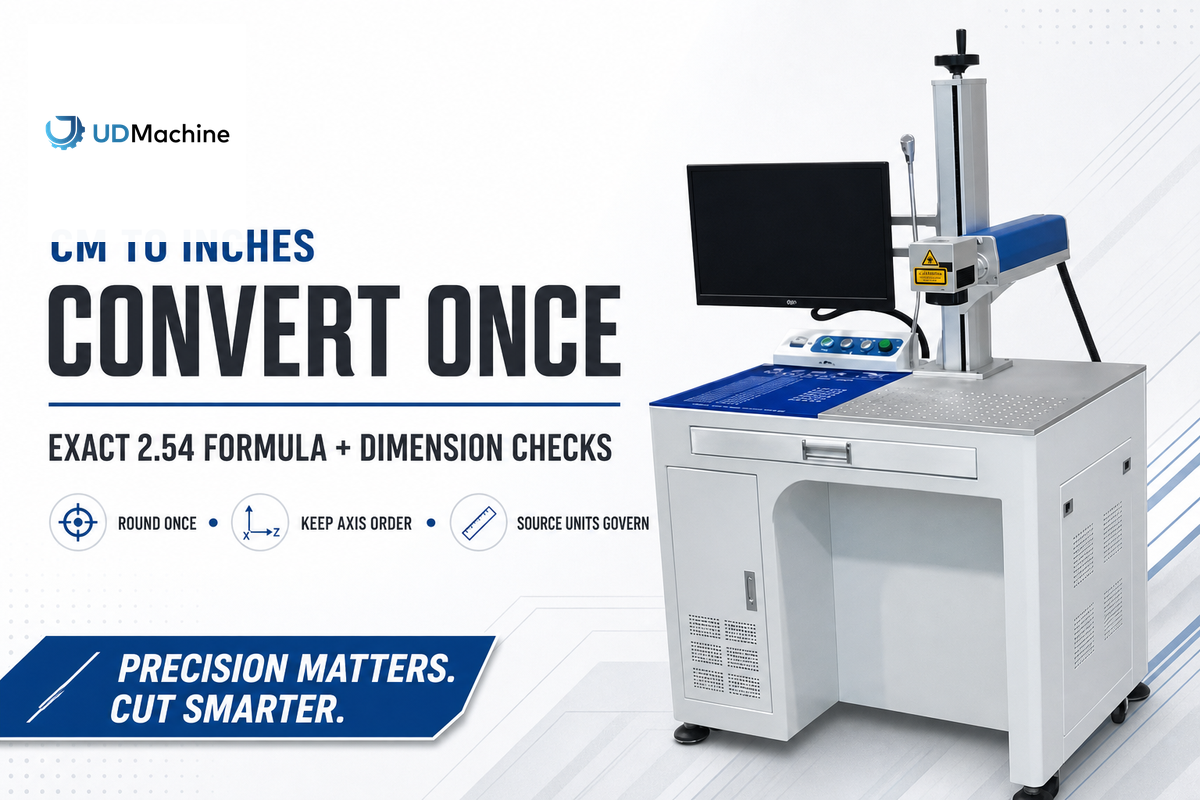
A laser engraver is a machine that uses a focused light beam to engrave or cut intricate designs into materials such as wood, metal, plastic, leather, and glass. The laser engraving process is based on the use of powerfully focused light that either melts away the top layer of the substrate, creating visible engravings, or in the case of more potent lasers, cuts through the material completely. Engravers are equipped with high-end technology and software that enable precise control of the laser’s power, speed, and motion. They can be used for both commercial and personal projects such as making personalized products, industrial marking, and artistic souvenirs. Laser engravers are becoming the go-to equipment for entrepreneurs, small businesses, and hobbyists due to the combined effect of price drops and user-friendliness.
Types of Laser Engraving Machines
Laser engraving machines include CO2, fiber, diode, and UV lasers. Each type has distinct characteristics suited for different applications:
Applications of Laser Engraving and Cutting
- Personalized Gifts – Custom designing or writing on items like necklaces, photo frames, and mementos.
- Industrial Marking – Making machine parts and tools bear serial numbers, barcodes, or logos through the engraving process.
- Signage Production – Creating detailed signs from wood, acrylic, or metal by cutting and etching.
- Art and Craft – Making tiny and complicated designs on materials like leather, fabric, or paper for artistic projects.
- Electronics Manufacturing – Identification and cutting of parts for circuit boards and electronic devices.
Benefits of Purchasing a Second-Hand Laser Engraver
Key Advantages
- Cost-Effectiveness – A second-hand laser engraver costs only a fraction of a new one, making it a cost-saving alternative.
- Quick Availability – The used machine market is usually very active, providing immediate availability without the wait times involved in purchasing new machines.
- Reliability – Many used engravers are from trustworthy brands and are very durable, providing longer performance even as used equipment.
- Entry-Level Investment – Used machines give novices or small businesses the chance to practice laser engraving without incurring huge costs.
- Environmentally Friendly – Reselling old equipment reduces waste and supports ecologically friendly practices.
Cost-Effectiveness of Used Laser Machines
Buying used laser machines offers significant price advantages, making them a favorable option for many customers. Buying second-hand equipment allows companies to save a notable percentage compared to the cost of new models, mostly without quality or functionality concessions. Besides, many machines that have been used for a time still possess hard-wearing parts and good performance, making them highly effective. Users can achieve their main results at just a fraction of the price. Startups and small businesses find this low cost a good opportunity to access advanced technology without budget constraints. When machines are obtained from reputable vendors or certified dealers, they generally come with a warranty or refurbishment guarantee, which further enhances the cost-effectiveness and reliability of used devices.
Access to High-Quality Equipment
The acquisition of second-hand machinery enables firms to use top-notch tools that might not be within their budget if they opted for new ones. The performance of properly maintained used machines is frequently up to par with that of new models, allowing the production of professional-quality results. If buyers choose certified resellers or reliable sources, they can be sure that the equipment has undergone inspection and is in working order, making it a dependable and economical option.
Environmental Considerations of Buying Pre-Owned
Purchasing used equipment has a significant positive impact on the environment because it reduces the need for new production, thereby significantly reducing environmental impact. The production process of new machines requires high amounts of raw materials, energy, and water. Additionally, carbon emissions and resource depletion are other adverse effects. By opting for second-hand machinery, businesses not only reduce waste sent to landfills but also help cut greenhouse gas emissions. Prolonging the life cycle of existing products is an eco-friendly approach rather than purchasing new ones. Furthermore, buying used equipment supports the circular economy since resource efficiency is being promoted, making alignment with global strategies against climate change and earth’s resource preservation easier.
Evaluating the Condition of a Used Laser Engraver
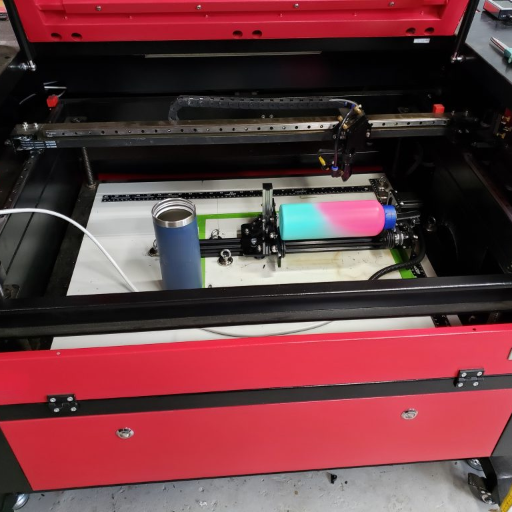
The condition of a second-hand laser engraver must be evaluated based on the machine’s age, its usage history, and overall maintenance. Look for signs of use and abuse, examine the condition and power output of the laser tube, and evaluate the engraver’s accuracy while it is operating. Additionally, ensure the software and hardware are compatible, and check that all parts, including mirrors and lenses, are working. If possible, ask for a demonstration before buying to ensure functionality.
Inspecting the Laser Tube and Its Lifespan
When evaluating the laser tube’s lifespan, a few factors should be considered. The lifespan of a laser tube is usually measured in hours, with CO2 laser tubes typically lasting 1,000 to 10,000 hours, depending on the tube’s quality and usage. Regular maintenance, such as proper cooling and avoiding overuse, can extend the tube’s functional life. Look for signs of wear such as decreased power output or unstable beam quality, as these could indicate a tube that is close to its end. Make sure to ask the seller for the laser tube’s production date, usage hours, and whether it has been refurbished or replaced. Recent opinions suggest that a more expensive laser tube is a better investment, as it lasts longer and performs better than a cheaper one.
Checking the Software and Compatibility
The software’s compatibility with your operating system and support for the file formats you frequently work with are the initial and most essential steps when evaluating a laser system. Make sure the software integrates smoothly with the design programs you use, such as CAD or vector-based tools. Get the manufacturer’s updates and support to keep the software running without interruption. Additionally, check the system driver’s compatibility with your hardware and configuration to avoid any installation or operational issues. Trustworthy compatibility helps achieve more efficient workflow and increased performance.
Assessing Mechanical Parts and Overall Functionality
Start by evaluating the mechanical parts of a pre-owned laser engraver by inspecting the machine’s frame and structure for signs of wear, rust, or damage. A strong, well-maintained frame ensures stability and accuracy throughout the process. Then, look at the belts, pulleys, and guide rails for signs of fraying, misalignment, or wear down, as those parts are essential to movement precision.
The CO2 laser tube should not be overlooked and should be duly inspected for any burn marks, discoloration, or evidence of output power reduction since aging tubes are likely to be expensive replacements. Check the motor by having the machine perform minor movements with the operator ensuring that the motor doesn’t produce any noise or vibration beyond what is normal.
Then check the control system to ensure it can decode your commands and give you the correct response every time. The latest findings from online resources, such as community forums and product reviews, could be beneficial in evaluating specific engraving machines. An accurate assessment will ensure the engraver performs reliably for your needs.
Common Pitfalls to Avoid When Buying a Used Laser Engraver

During the process of buying a second-hand laser engraver, one of the typical mistakes is neglecting to carefully examine the condition of the machine, which includes checking the laser tube, lenses, and belts for wear—critical components. Another mistake is failing to verify the machine’s maintenance history, which could reveal neglect or poor care. It is essential not to overlook compatibility with your software or project demands without prior testing or confirmation. Finally, a functional test of the engraver should not be skipped, as it may reveal operational problems. Always make sure the machine is performing well in real working conditions.
⚠️ Warning Signs to Watch For
- Incomplete or vague machine documentation
- Sellers unwilling to provide demonstrations
- Missing maintenance records
- Prices that seem too good to be true
- Lack of clear return or warranty policies
Incompatible or Outdated Models
Choosing an appropriate laser engraver that adheres to the latest technology standards is really important. Outdated models are usually not able to work with modern software and thus, their functions and systems are limited to integration with old ones. These machines may also lack the necessary precision and speed, resulting in low productivity and poor-quality final output in contemporary projects.
To determine whether a particular model is outdated or incompatible, it is helpful to check details such as software support, operating system compatibility, and hardware specifications. Additionally, manufacturer documentation will help you gain comprehensive insights before investing in or using an older device. By following such a procedure, not only do you eliminate the chances of facing operational inefficiencies and downtime but also guarantee that your projects are up to quality standards.
Unreliable Sellers and Listings
In cases of untrustworthy sellers or listings, it is essential to prioritize reliable platforms and conduct a thorough review of all available information. Check for sellers having many positive reviews, verified accounts, and easy return policies. Do not consider listings that have no description or pictures, or that offer excellent deals that are too cheap, as these are typical signs of scams or poorly depicted products—already red flags. If the items are in doubt, check them on the manufacturer’s website by serial number or product details whenever possible, as this is always a good practice. By being careful and relying on trusted sources, you can reduce risks and make more informed purchasing decisions.
Lack of Warranty and Support
One of the most common mistakes when dealing with a pre-owned laser engraver is the unavailability of warranty and insufficient customer assistance. New machines usually come with manufacturer warranties, but used engravers are generally sold “as-is,” putting you at risk of unanticipated repair costs. In the absence of a warranty, you could end up paying substantial sums for repairs to critical components such as the laser tube and control board.
On top of that, most secondhand dealers do not offer skilled support as part of the sale, which is very important for troubleshooting or using complex pieces of equipment. Complaints from the user community about the absence of necessary parts and instructions have become common, especially for engravers that have been discontinued or are very rare. You can alleviate the problem by giving priority to acquiring used tools from certified suppliers or refurbishers selling them with limited warranties and providing post-sale support. Alternatively, check whether the machine’s parts and manuals are readily available from third-party vendors or online communities before committing to buy.
Practical Tips for a Successful Purchase

- Research the Seller’s Reputation
Verify that the seller or dealer you are buying from is reliable and has a good reputation. Try to find reviews, ratings, and testimonials from past buyers to assess their trustworthiness. - Inspect the Machine Thoroughly
Whenever feasible, visit the engraver on-site before making a purchase. Look for signs of wear and tear, check whether it is operational, and check for any previous repairs or modifications that may be hidden. - Request a Demonstration
Invite the seller to show you the laser engraver working. This guarantees that the machine is operational and meets the required quality standards. - Confirm Compatibility of Parts and Software
Make sure the engraver is compatible with readily available parts and software. Doing so might help you avoid spending time and money on repairs and upgrades down the road. - Understand the Return and Warranty Policies
Inquire about any return, exchange, or warranty options the dealer may have. A limited warranty or return policy could address concerns regarding your investment.
Creating a Detailed Inspection Checklist
When you are assembling a thorough inspection checklist for an engraver, you should pay attention to the following points mainly:
✓ Condition of the Machine
- A visible inspection should be conducted to check for any damage or wear on the machine’s components.
- Check that all moving parts are silent and vibration-free.
✓ Power Supply and Electrical Systems
- Intact power supply and connections should be verified.
- The machine should be tested to ensure it turns on properly and has no electrical faults while running.
✓ Functionality of the Laser
- The laser module should be inspected for any signs of damage or misalignment.
- The engraving quality, including the laser’s intensity, needs to be tested.
✓ Safety Elements
- Check that all safety devices, such as emergency stop buttons and protective covers, are in good working order.
✓ Software and Compatibility
- Make sure that the firmware or control software is the latest version.
- Run tests on computers or other devices to confirm compatibility.
✓ Accessories and Spare Parts
- Inspect the area to ensure all required accessories, such as cables or clamps, are available.
- Check the stock of replacement parts for future maintenance.
A checklist of this kind will make sure the engraver is functioning correctly and can be used effectively.
Negotiating the Price of Used Laser Equipment
Negotiating the price of used laser equipment requires preparation and a clear understanding of its value. Below are some significant steps to take:
💡 Negotiation Strategy
Research Market Value
Find out what the average price is for used laser equipment in the same condition and with similar features. Online marketplaces and industry forums are great places to get a sense of the market.
Assess the Equipment’s Condition
Inspect the device thoroughly and note any wear and tear, defects, or missing parts that may affect its operation and value. Use these points to negotiate.
Highlight Maintenance and Usage History
Request from the seller the maintenance history and the number of hours the equipment was in use. While equipment with good service and minor wear is usually more expensive, the opposite is true for equipment with maintenance gaps.
Consider Additional Costs
Include the costs for shipping, repairs, or buying new parts in your calculations. These costs could help you make a stronger case for the lowest possible price.
Negotiate Confidently but Fairly
Make the first offer reasonable but slightly below your target price so you can negotiate it up. Always be polite and use the market value and equipment condition data to support your offer.
When you negotiate effectively, backed by substantial research and rational arguments, you can secure a reasonable price for the used laser equipment.
Understanding Shipping and Handling for Large Machines
Shipping and handling for bulky items like a secondhand laser engraver can be a pretty complicated affair and thus, its planning should be done rigorously. First, confirm the engraver’s dimensions and weight to determine the most suitable shipping method. Generally, freight shipping is the safest and most reliable method for large equipment; thus, choosing a reliable freight company that provides tracking and insurance is a great option.
Proper packing is the primary safeguard against damage to the engraver during transport. Besides employing strong materials like wooden crates, also use padding to secure the machine and thus, eliminate the risk of movement and damage. Also, inquire whether the seller provides disassembly and packing services, as proper preparation can significantly reduce the risk of breakage.
Finally, verify delivery details, such as whether the shipping company offers lift-gate or inside delivery, especially if you do not have the proper tools to unload the machine. Being aware of these factors beforehand will significantly contribute to the safe arrival of your laser engraver and its being in running condition.
Reference Sources
-
Innovations in Laser Engraving Technology Market Trends, Affordability, and Ethical Implications
SSRN Paper
This paper discusses the evolving landscape of laser engraving machines, focusing on market trends and buyer priorities. -
The Introduction of a CO2 Laser Cutting and Engraving Device into Engineering Education
Theseus Thesis
This thesis explores the integration of laser-cutting and engraving devices into engineering education, highlighting their operational advantages. -
Research and Development of Laser Engraving and Material Cutting Machine from 3D Printer
Sciendo Article
This research focuses on the development of laser engraving and material-cutting machines, emphasizing innovative solutions such as interchangeable print heads. - Top CNC Laser Marking Machine Manufacturer and Supplier in China
Frequently Asked Questions (FAQs)
What should I check before buying a second-hand CO2 laser or CO2 laser engraver?
In respect of previous CO2 laser engravers (from the models of 40W, 60W and 80W) examine first the condition of the CO2 tube and hours of running, then check the cleanliness of mirrors and lens, beam alignment, the exhaust and filtration system, the condition of motion rails and belts, the work area and the enclosure. Be sure the machine turns on, the laser consistently fires, and perform a test engraving on wood or acrylic. Verify that the controller is compatible with software like LightBurn, and also check if the seller has made improvements to parts such as air assist, auto focus or built-in camera for effortless setup.
What is the difference between a desktop laser cutter and a used laser engraving and cutting machine from the price point viewpoint?
A second-hand laser cutter or a desktop laser cutter can cut and engrave, but the model matters less than the condition. Smaller machines (like K40-style or commercial 40W–60W models) are pretty popular with small shops or even home-based businesses. Make sure that the machine can perform cutting on the given materials (for example, acrylic, wood, leather), that the engraving area is adequate and that the safety measures are in place, such as proper enclosure and filtration. If you need rotary attachments for bottles or cylindrical items, make sure the seller includes or supports a rotary attachment.
Is it good to buy a refurbished or a second-hand machine and then plan to renovate or upgrade it?
Purchasing a refurbished or second-hand laser engraving machine can be economically justified, especially if you plan to upgrade components like the controller, motors, or air assist, or add an enclosure and filtration. Many users replace older controllers with compatible ones, add autofocus or built-in camera kits, or replace CO2 tubes that have reached the end of their life. To arrive at the final price, consider the cost of the parts and possible downtime, the availability of spare parts (for brands like OmTech, Atomstack, and Creality), and your DIY skill level. For business use, it is better to get machines with a verified service history and to consider warranty or return options.
Can a second-hand diode laser, like a 10W or 20W diode, be a substitute for CO2 for engraving acrylic and deep engraving?
10W and similar diode lasers can engrave wood, leather, and some painted metals quite well but they cannot cut clear acrylic and they also cannot produce the deep engravings that are typical of CO2 or fiber systems with higher power. A CO2 laser (40W–80W) is the preferred option for deep engraving and acrylic cutting. If you ever need metal marking and engraving, fiber laser marking is the way to go or a hybrid solution. Before you make a decision between a used diode or CO2 machine, analyze your primary materials and target thickness.
Which safety and maintenance measures are crucial for second-hand lasers?
Maintenance and safety checks should first be conducted on the enclosure, ventilation and filtration systems, the emergency stop, wiring and grounding, and interlocks. Next, check the components responsible for movement (rails, belts, bearings), mirrors, and lenses for CO2 machines, and the condition of the laser tube or diode emitter. Please make sure that the fume extraction and filtration systems are operational (this is crucial for working with acrylic) and that air assist is working. If possible, ask for demonstration cuts or mark samples, and review the controller and software setup (LightBurn compatibility). Having regular maintenance records is a strong positive when buying used laser equipment.
How do rotary attachments, air assist and accessories affect the value of a used laser engraver machine?
Accessories such as rotary attachments, air assist, enclosures, auto focus, built-in camera modules and filtration systems increase the usefulness and resale value of a machine. Going with the rotary system provides an exclusive access to the capability of imposing designs on cylinders and bottles; air assist enhances cut quality and prevents flare-ups, especially on wood and acrylic. Enclosures and filtration are essential for safety and legal compliance in shared workspaces. When evaluating pre-owned inventory of used machines for sale, note which accessories are included—this can reduce your immediate upgrade costs and speed up productivity.
Conclusion
Purchasing a second-hand laser engraver can be an excellent investment when approached with careful consideration and thorough research. By understanding the different types of laser engravers, evaluating machine condition meticulously, avoiding common pitfalls, and following practical purchasing tips, you can secure high-quality equipment at a fraction of the cost of new machines. Remember to prioritize sellers with good reputations, request demonstrations, verify compatibility, and always conduct comprehensive inspections before finalizing your purchase. With the right approach, a used laser engraver can provide reliable performance, expand your creative or business capabilities, and deliver exceptional value while contributing to environmental sustainability through equipment reuse.
📌 Key Takeaways
- Research thoroughly before making any purchase decision
- Inspect all critical components including laser tube, mirrors, lenses, and mechanical parts
- Verify seller reputation through reviews and testimonials
- Request demonstrations to ensure functionality
- Check software compatibility with your existing systems
- Understand warranty and support options before committing
- Consider total costs including shipping, potential repairs, and upgrades