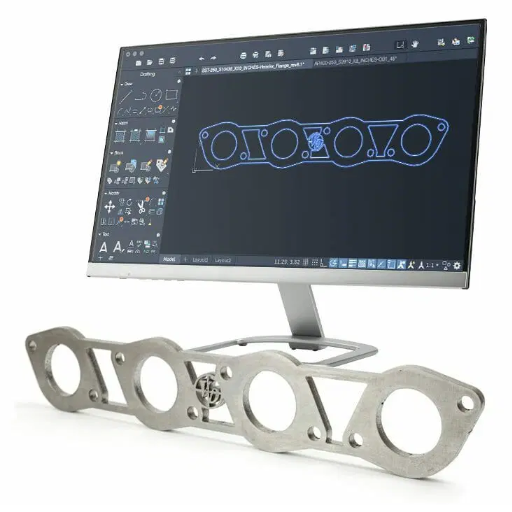
The contemporary landscape of manufacturing, design, and personal crafts has metamorphosed through the advent of laser cutting and engraving, combining precision with limitless creativity. At the center of that revolution is powerful laser cutting machine software-an indispensable tool in gaining optimum precision, faster efficiencies, and design execution with unmatched accuracy. Whether you are an experienced professional or an inquisitive novice taking the first step into the field, knowing the very essence and capacity of this software is necessary to harness the laser cutting machine.
This guide intends to walk you through the entire gamut of laser cutting machine software, its core features, and their benefits, while providing an overview of the variety of businesses it supports. We are looking at everything from working in an interface to preparing files, sharpening and fine-tuning, with overviews of other software supported by various laser cutting machines, so when you arrive at a decision, you choose what best suits your needs with an informed opinion. Let’s begin with that software, which is the foundation of all cutting and crafting ingenuity.
Introduction to Laser Cutting Software
Significance of Laser Cutting in Present-Day Manufacturing
Laser cutting has become an essential technology in the present-day manufacturing due to its superlative precision, versatility, and efficiency. The increase in adoption of laser cutting across industries is highlighted by recent statistics, which estimate the global laser cutting market to reach a CAGR of approximately 9.5% from 2023 to 2030. The needs for complex and precision cuts in materials ranging from metals and plastics to glass and textiles continue to enhance this growth, which ensures components of the highest quality without depending on secondary finishing.
📊 Market Growth Highlights
- CAGR: Approximately 9.5% from 2023 to 2030
- Applications: Metals, plastics, glass, textiles
- Key Industries: Automotive, aerospace, electronics
- Benefits: Highest quality without secondary finishing
Also, with improvements in the software used for laser cutting, operational efficiency has been ramped up with features like automated nesting, better energy management, and CAD system compatibility. Such modern features further assist in cutting down wastage of materials and curb costs-of-operation, which remain critical parameters in industries such as automotive, aerospace, and electronics. Flexibility of laser cutting to accommodate mass production as well as small-batch custom work ensures the presence of the technology in both huge industrial pursuits as well as rather peculiar manufacturing needs.
Novelty of Laser Cutting and Engraving Technologies
Laser cutting and engraving technologies keep evolving perpetually with improvements in precision, speed, and automation. Contemporary equipment possesses several high powers of lasers among fiber lasers, CO2 lasers, or diode lasers, design varying for specific purposes. Very high energy density coupled with high power conversion efficiencies allows fiber lasers to sever metals such as stainless steel and aluminum to high levels of precision. On the other hand, CO2 lasers are the best for nonmetallic materials like wood, acrylic, and textiles.
Integrating CNC systems with laser technology has increased its scope, allowing it to achieve accuracy without parallel in manufacturing complex designs and ensuring high reliability between production batches. Operational efficiency is the consideration of automated sensor systems, and in-process control systems notify concerning the existence of defect/misalignment in the process and provide a control loop for elimination, thus stopping stoppages. High-level software from laser shooting programs is being used in conjunction with CAD programs for manufacturing, with ability to update, customize, and scale from small manufacturers to find challenging requirements of different industries.
Furthermore, AI-based algorithms ensure a level of precision in pattern recognition and grant high-resolution details on either small or complex applications. The coming of eco-systems, with efficient use of power and recycled materials in fabrication, endorses global sustainability agenda, further establishing the role of lasers in modern industrial methods. This broad-spectrum development surrounding the newest tools coupled with sustainability makes laser cutting and engraving production-engineering innovation paradigms.
Main Advantages of Laser Cutting Software
🎯 Precision and Accuracy
From the modern perspective, laser cutting software assures precision to an extreme, allowing the rendering of details and the realization of intricate designs within minimal tolerance deviations. Such accuracy holds necessity in the aerospace and electronics industries, where adherence to specific specifications is paramount.
⚡ Better Efficiency
Laser cutting software seeks to enhance the working efficiency by relying on advanced algorithms and optimization methods for maximizing cutting speeds and material usage. This way it reduces time for production and operational costs, accepted as demands coming from industries for profit and efficiency.
🔧 Works Across Materials
Laser cutting software can stand any given material, from metals, plastic, glass, to composites. This adaptability across various substrates makes it imperative to numerous industries.
🔄 Integration with Workflow
Many state-of-the-art tools nowadays are highly compatible with CAD software and automation systems. They guarantee a seamless workflow that thus translates to better productivity in complex industrial scenarios.
⚙️ Customizable Features
Among others, the recent laser cutting software provides advanced features, such as real-time monitoring, 3D cutting, and predictive analysis. They ensure customization of the output that caters for errors that may arise in specific projects.
🌿 Environmentally Friendly
In line with the sustainable development trend, some laser cutting software currently offer modes with reduced energy consumption and waste emission. Proper use of these features translates to considerable savings on expenses and a reduced carbon footprint that will be appreciated by environmentally conscious consumers and businesses.
Combining the benefits highlighted above with the latest developments in AI and automation makes laser cutting software continue on a dominating trajectory as the primary innovation driver in modern manufacturing processes.
Types of Laser Cutting Software
Control Software for Laser Cutting Machines
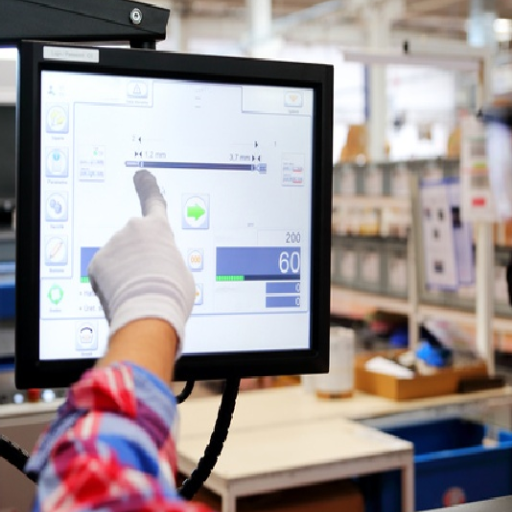
The control software for laser cutting machines, essentially the main operational engine, precisely manipulates cutting parameters, machine movements, and material handling processes. These systems translate digital design files such as CAD or CNC inputs into machine commands. In doing so, they attain accurate execution of intricate geometries while optimizing cutting paths or ensuring uniformity across other production runs. It is usual for some modern control software packages to facilitate certain features like monitoring laser power in real-time, adjusting speed diameter against thickness, or detecting errors that lead toward waste reduction.
Key Control Software Features:
- Real-time Power Monitoring: Continuous laser power adjustment and monitoring
- Speed Optimization: Automatic speed adjustment based on material thickness
- Error Detection: Automatic detection and correction to reduce waste
- Path Optimization: Efficient cutting path calculation for complex geometries
- Predictive Maintenance: AI-driven maintenance scheduling to prevent downtime
The latest data from search engines clearly indicates a change in technological trend toward cloud software and AI integration of the software capabilities. Commonly searched are laser-cutting systems for predictive maintenance; that maintenance practically uses AI algorithms to predict machine failures and cutoff downtimes. Additionally, software with built-in material libraries with predefined settings for the best-cutting scenario on several substrates is another feature becoming sought after. These parameters enhance productivity at a considerably high level and will allow for applications across a more diverse set of industries.
Design Software for Laser Cutting and Engraving
Recently, according to data trends from search engines, users are increasingly searching for design software that works seamlessly in tandem with laser cutting and engraving systems. These high search volumes reveal they favor platforms that support advanced vector editing, precise alignment tools, and many file formats, such as DXF, SVG, and AI. Also, there is substantial interest in cloud-based design environments that would facilitate remote collaboration and version control-an ideal option for distributed teams-with these features being absolutely vital in optimizing workflows to deliver not only visually accurate designs but also designs that are technically realizable by the intent laser system.
File Formats Supported by Laser Cutting Software
Laser cutting software supports an array of file formats that address a multitude of design requirements and afford compatibility with diverse systems. Most supported formats are:
The aim of continuing to support file formats, among others, is to be able to cater to laser cutting software to technical and creative users. The ability to process advanced file types means that the software can seamlessly optimize workflows, reduce manual error, and handle intricate design requirements, too. This interoperability guarantees that users from various industries can operate the software emasculated without heavy conversion implementations.
Popular Laser Cutting Software Options
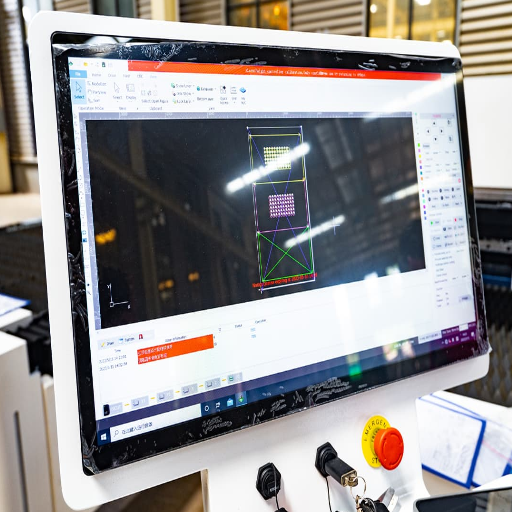
LightBurn: Features and Benefits
LightBurn is powerful and capable laser-cutting software made for efficiency and ease of use. Its foremost feature includes the ability to communicate with a large majority of laser engravers such as CO2, diode, and some fiber lasers; hence, it is prone to be used for diverse applications. It supports multiple vector file formats as well as raster file formats, including SVG, AI, DXF, and PNG, ensuring smooth handling of workflows in design. It has control variables for parameters such as power, speed, and acceleration with great precision, allowing users to set aside parameters best suited for a project and have the best results for cutting and engraving.
LightBurn Key Features:
- Wide Compatibility: Works with CO2, diode, and fiber lasers
- Multiple File Support: SVG, AI, DXF, PNG formats
- Precise Control: Power, speed, and acceleration parameters
- Built-in Design Editor: No need for external design software
- Real-time Preview: Dynamic alignment guides
Aside from those already mentioned, there is the internal design editor, which prevents an extraneous design software from ever being needed to use LightBurn. It contains solid tools to design complicated shapes, text, and layouts directly in the program. Combined with real-time previewing and dynamic alignment guides, LightBurn offers a streamlined design experience that aims to be precise.
This confirms its top rating considering user reviews and search trend data. This allows it to meet the needs of all intents and purposes of the hobbyist and the professional, thus cementing its reputation amongst the most popular laser cutting softwares.
LaserGRBL: A General Overview
LaserGRBL is an open-source laser engraving software that is popular for its simplicity and efficiency for entry-level users and hobbyists. This software allows several machines working under the GRBL firmware, thus creating a versatile environment in laser engraving. Another interesting data point in the latest data from the search engine indicates that LaserGRBL has enjoyed immense popularity among users who seek a lightweight software solution that is free.
Why Users Choose LaserGRBL:
- Simplicity: Excellent for simple vector and raster engraving needs
- Regular Updates: Community-driven development with evolving hardware compatibility
- Minimal Requirements: Low system requirements for smooth operation
- File Format Support: BMP, JPG, PNG, and various vector formats
- Cost: Completely free open-source solution
Several factors come to mind when answering the question about why LaserGRBL is still the preferred choice. Firstly, this software does an excellent job of catering to simple vector and raster engraving needs of people who just want to get the job done without any technicalities. Secondly, it is regularly updated and in a way that makes the whole community working on its development compatible with evolving hardware technologies. The last reason is the bare minimum system requirements it needs and its ability to import various input file formats for vector and raster images such as BMP, JPG, and PNG. These are indeed what make LaserGRBL stand out as an efficient yet easy-to-use laser engraving software-as also corroborated by significant search interest in LaserGRBL as reflected by search data.
Adobe Illustrator for Laser Cutting: Good and Bad
A quintessential vector design software, it is very widely used in the laser cutting fraternity with an almost term of greatness. The primary advantage is its extreme precision and scalability. It allows one to make the most intricate designs down to detail and scale them without losing quality. With features such as custom artboards, sophisticated path creation tools, and Creative Cloud integration, you have a complete toolbox at your disposal for designing projects ready to be lasered. Besides, Illustrator supports various standard file formats such as SVG, DXF, and PDF, which would support most laser cutting machines in the industry.
Significant drawbacks that could be addressed include the steep learning curve, which presents a barrier to entry for beginners. The software is subscription-based and requires continuous payments that may be unattractive for hobbyists or people on a tight budget. Performance-wise, resource-heavy design may bog down the software at times, especially on the underpowered machines.
Current search trends show continued interest in Adobe Illustrator for laser cutting; hence shows its widespread use and acceptance as a tool for professionals. While it holds right in the front lines of those users that truly want to pursue creative freedom and integration across all their design workflows, casual users might be better served by cheaper or free alternatives, e.g., LaserGRBL. Ultimately, Adobe Illustrator is best suited to those that are looking for precision, complexity, and seamless integration into a professional-grade laser cutting environment.
Inkscape: Free Laser Design Alternative
Inkscape is a powerful open-source vector graphics software that has lately gained much popularity among individuals looking for a free yet powerful alternative for laser design projects. This extensive tool set, including advanced path operations, gradient fills, and node editing, allows it to meet the demands of users requiring intricate designs for laser cutting or engraving. Thanks to the support of scalable vector graphics (SVG), it works seamlessly with most laser-cutting machinery and software.
Inkscape Advantages:
- Open-Source: Completely free with active community development
- Advanced Tools: Path operations, gradient fills, node editing
- SVG Support: Native SVG compatibility for laser cutting
- Regular Updates: Community-driven continuous improvements
- Extensive Documentation: Tutorials and learning resources available
Another factor making Inkscape favorite is that it is open-source and frequently updated by the active community that is also continually developing and releasing new plug-ins to extend its functionality. Combining this with its extensive documentation and tutorials make it even easier for new users to learn. It cannot yet compete with numerous smoother workflows and advanced integrations found in paid software such as Adobe Illustrator, but its ability to fulfill truly refined design tasks with no upfront costs makes it highly appealing to hobbyists and professionals on a budget.
Choosing the Best Laser Cutting Software
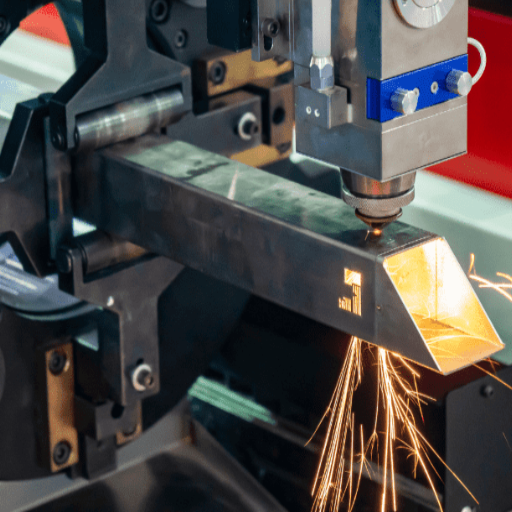
Factors to Consider in Choosing the Software
A few key points need to be considered when evaluating laser cutting software for optimal performance and fitting into your distinct circumstances.
Key Selection Criteria:
Based on the most recent search-data trends, users are usually in need of software that accommodates the design tools and laser path control for workflow centralization. Understanding these factors will allow you to choose software more aptly customized to your laser-cutting applications.
Comparative Study of Leading Software Options
While conducting a comparison for laser-cutting software, it is of paramount importance to perform an exhaustive appraisal between leading choices with particular regard to feature-wise applicability, user interface experience, cost, and scalability. Based on selected search-engine data gathered recently, a few software is gaining edge in the market with better features set and user satisfaction scores.
Globally, applications should be kept to meet the demands of the specific project at hand. LightBurn and RDWorks answer to low-price utility needs, whereas Adobe Illustrator and Autodesk Fusion 360 answer to heavy design or engineering needs. CorelDRAW holds a middle ground for users in customization-heavy industries. Frequent update iterations along with active communities make a great platform really usable and relevant for a very long duration, which is a very important consideration for a space that is being rapidly evolved.
User Experiences and Testimonials
The latest data obtained from search engine analytics suggests that users gravitate to software platforms which prioritize the smooth user interface and excellent customer support. Many users, for instance, praise LightBurn for its simple but highly effective design meant for both beginner and experienced laser engraver operators. Feedback suggests that a layout so intuitive allows a fairly short learning curve, enabling both personal and professional use within a reasonably short timeframe.
💡 LightBurn User Feedback
“Simple but highly effective design for both beginners and experienced operators. Intuitive layout allows for a fairly short learning curve, enabling both personal and professional use within a reasonably short timeframe.”
🎨 Adobe Illustrator Reviews
“Generally receives praise for its accuracy and flexibility in detailed design work. Users mention that the vast set of tools and constant update cycles give it a great advantage, although some consider its steep learning curve a drawback for beginner users.”
⚙️ CorelDRAW Testimonials
“Seen as the more affordable alternative that provides great customization options to be fitting for small-to-medium businesses with tailored design requirements.”
🔧 Fusion 360 User Experience
“Really sophisticated in the 3D modeling and CAM tool integration areas, practically a must-have choice for engineers and manufacturers, although the subscription-based payment model can be cumbersome for smaller applications.”
These user narratives show the strengths and considerations of the platforms. Thus, it stresses the critical need for aligning software selection with specific operational needs in order to maximize efficiency and output quality.
Integrating Laser Cutting Software with CO2 Lasers
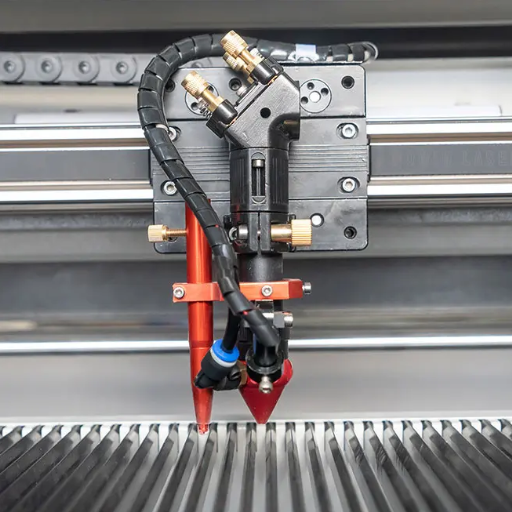
Software Compatibility with CO2 Laser Machines
Software compatibility with CO2 laser machines plays a vital role in determining the efficiency and precision of a laser-cutting operation. Popular software programs include LightBurn and RDWorks, which allow image processing, vector editing, and machine control. LightBurn supports numerous controllers, such as Ruida, Trocen, and GCode-based controllers, so it can integrate with many CO2 laser models with ease. Meanwhile, RDWorks is much simpler but is solely meant for Ruida controllers and sold somewhat as a package with CO2 laser machines.
LightBurn
- Supports multiple controllers (Ruida, Trocen, GCode)
- Integrates with many CO2 laser models
- Unprecedented customization options
- Best for professionals with variety projects
RDWorks
- Simple and straightforward interface
- Solely for Ruida controllers
- Often packaged with CO2 laser machines
- Ideal for standard CO2 laser operations
Latest data from search engines, user forums, and reviews suggest LightBurn best serves many machine types while giving unprecedented customization options to professionals working on a variety of projects. On the other hand, RDWorks is recognized for its simplicity and ease of use and is ideal for those working with standard CO2 lasers governed by Ruida. In the end, the choice of software shall depend upon the type of controller, intricacy of the projects, and operational efficiency aimed for, thus guaranteeing harmonious and efficient union of software and laser hardware for the best possible results.
Achieving Maximum Performance with CO2 Lasers
To achieve maximum performance from CO2 lasers, setup and calibration have to be carried out with the utmost care. Begin by aligning the laser beam through all the optical components, including mirrors and the lens, as any misalignment will lead to energy losses and inhomogeneous cutting or engraving. Check the proper installation of the laser tube, and keep an eye on its cooling process. Cooling is usually through water, and improper working of this procedure is what brings down half of the life span of a CO2 laser tube.
Essential Setup Steps:
- Beam Alignment: Align laser beam through mirrors and lens to prevent energy losses
- Laser Tube Installation: Ensure proper installation and monitor cooling process
- Software Configuration: Calibrate software to match laser hardware specifications
- Parameter Settings: Enter genuine parameters for speed, power, and frequency
- Regular Maintenance: Clean lenses and mirrors to maintain beam quality
System-side software configuration is equally important: Calibration of the software selected, e.g., LightBurn or RDWorks, should be carried out to match exactly with the hardware of the laser in question. Enter genuine parameters, such as speed, power, and frequency (depending on the material the laser machine is set to work on.) These would be the settings used for actual laser cut or engrave jobs. Thus, they are extremely important to render everything to precision and output quality. Lens and mirrors cleaning must also be regular to prevent any decomposition of laser beam quality due to residue buildup.
From recent data generated through analysis by a trustworthy search engine, a trend appears with users of CO2 lasers prioritizing material compatibility and safety measures. For instance, when ventilation systems become a necessity against dangerous fumes released from some materials, like acrylic or PVC, making air-assist systems and exhaust fittings bunkers into the integral part of laser machinery is key to maximize efficiency and safety.
Common Problems and Their Remedies
🔧 The Laser Does Not Engrave or Cut Properly
Problem: Incorrect focus settings, power levels, or speed parameters can be the root causes.
Solution: Set the focus length according to the thickness of the material, and ensure the power level and speed are according to the specifications provided by the laser manufacturer for the concerned material.
📐 Uneven Cuts
Problem: Uneven or inconsistent cutting and engraving depths indicate improper alignment of laser optics.
Solution: Resolve with scheduled maintenance actions such as cleaning the mirrors and lenses as well as performing mirror alignment tests.
🔥 Excessive Burn Marks and Charring
Problem: Burn marks and charring around material edges due to excessive laser power or poor cooling.
Solution: Reduce the power level and raise the cutting speed. Set up augmented air systems to provide cooling airflow and sweep away gases.
⚡ Laser Tube Power Loss
Problem: Gradual power loss due to age-related deterioration of the CO2 laser tube.
Solution: Monitor operational hours (tubes typically last 1500-3000 hours) and plan for tube replacement to maintain optimal working conditions.
🛡️ Materials Unresponsive to Laser
Problem: Some materials, like coated metals or reflective surfaces, don’t absorb enough laser energy.
Solution: Apply special coating or adjust wavelength compatibility. Check material type compatibility before starting operations.
💨 Ventilation Systems and Fume Extraction Malfunctioning
Problem: Poor exhaust system performance causes smoke and fume buildup.
Solution: Check for clogged filters and ducting obstructions. Clean or replace filters regularly and verify airflow rates comply with safety standards.
With proper planning and by setting up recommended practices to solve common problems, a CO2 laser user can be assured of safe functioning of his systems and laser engraving results that are consistent, efficient, and of excellent quality.
Frequently Asked Questions
❓ What is laser-cutting software?
Laser-cutting software refers to a specialized program allowing designers to create designs for a laser cutter or engraver. It enables the user to design vector graphics, import various file types like DXF, SVG, and BMP, and generate G-code commands to manipulate the laser head into movements during cutting and engraving. The software being used varies greatly depending on the skill level of the user and the capability of the laser machine. Popular software choices include LightBurn, Inkscape, and Autodesk software. These software packages are great for hobbyists and professionals alike seeking to maximize their fabrication output.
❓ How does a laser engraver work with software?
A laser engraver uses software that interprets designs and generates commands for cutting or engraving materials. The software converts vector shapes into G-code used by a laser control program to direct the movements of the laser machine. It handles different file formats like DWG, EPS, and raster files, giving it versatility in design. With proper software integration such as LaserWeb or LightBurn, the engraving process is tightly controlled for a variety of applications including industrial and artistic projects. Gaining expertise in the use of these software packages becomes very important in ensuring excellent results.
❓ What are some of the best laser engraving software programs?
The best laser-cutting programs will surely depend on the end user, ranging from professional to hobby level, and on the software features. Software like Adobe Illustrator and TurboCAD offers a lot of vector editing features considered for professional projects. Free software like Inkscape or LaserGRBL, designed to produce very good vector graphics but simpler, will likely suit hobbies. Each has its pros and cons, either being easy with fewer features or more capable but hard to considerably master; it is on the cutting operations you intend to undertake and your knowledge of CAD tools.
❓ Can I use free software for laser cutting?
There exist several free software applications suitable for use with laser machines for laser cutting. Programs include Inkscape, LaserWeb, or Draftsight, all of which package up powerful tools without reaching into anybody’s pockets. These software packages allow users to create and manipulate vector graphics and export designs in various file formats. Though they might not offer the comprehensive features of the commercial kind, they will suffice for a great many projects, particularly for hobbyists or starters in digital fabrication. And if one wants to still stay on the freefoots, testing out these options should be a good start!
❓ What file types are supported by laser-cutting software?
Common file types encompass a wide range, allowing for varied requirements for design. Most common vector-based file types would be DXF, SVG, and EPS, which define paths made suitable for cutting. Raster files like BMP or JPEG work well for engraving but may have to be converted into vectors to yield decent results. Knowing which file formats are compatible is essential so that your designs translate better onto the laser machine. Most users attest that exporting from a CAD program like SolidWorks or Autodesk to available file types simplifies designing work and improves the quality behind their projects.
📚 Reference Sources
MIT
The Development of Online Media to Support Design Prototyping with a Laser Cutter
MIT
Design of Educational Engineering Projects Fabricated with the Laser-Cutter and CNC Wire Bender
Cal Poly
Qualification of Blue Laser Cutting Tool and Design of Test Procedure for Determining Cutting Parameters